
I Love the Smiths AI Video Generator
Two photos. One elevator encounter.
About this tool
Turn yourself and a partner or friend into the two characters in this I Love the Smiths AI elevator edit. Upload one photo for each role; the built-in prompt follows the original glances, reactions and exit.
1. Cast both elevator roles
Both photos are required. Their order fixes who stays and who leaves.
Photo 1 · initially left · stays insideRequired
Photo 2 · initially right · exitsRequired
One person per photo. Show a clear face, hair and the outfit you want to keep. JPG, PNG or WebP, up to 10 MiB each; at least 300 × 300 px.
600 credits for both people. Failed or timed-out tasks refund the amount charged.
Preview the elevator scene
This is the source template. Your photos replace its two people after generation.
- 01Photo 1 replaces the person initially left and stays in the elevator.
- 02Photo 2 replaces the person initially right and exits on the original path.
- 03Review both identities, clothing, reaction timing and audio before sharing.
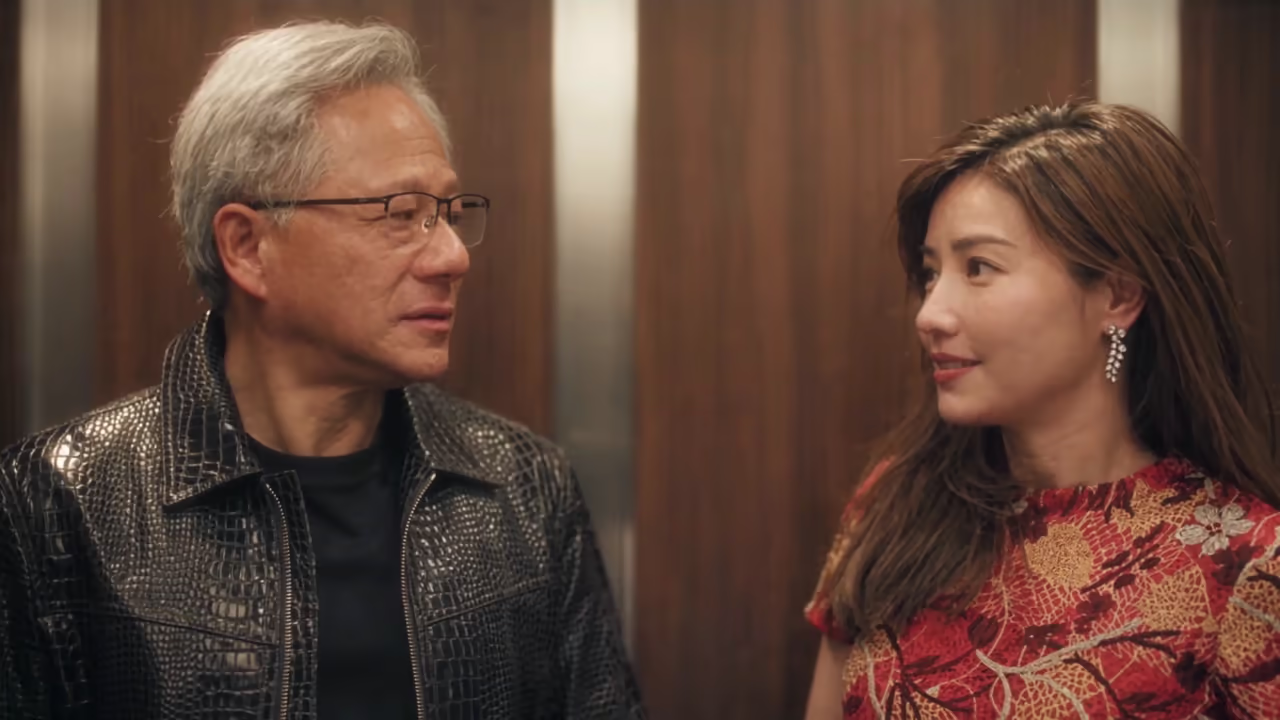
I Love the Smiths AI video examples
The first clip is the user-provided source template. The other clips are imported Media.io examples for inspiration, not ImageLayered test results or selectable templates. Your edit always uses the first clip.
Assign two identities
Photo 1 follows the person initially left. Photo 2 follows the person initially right, even when positions change.
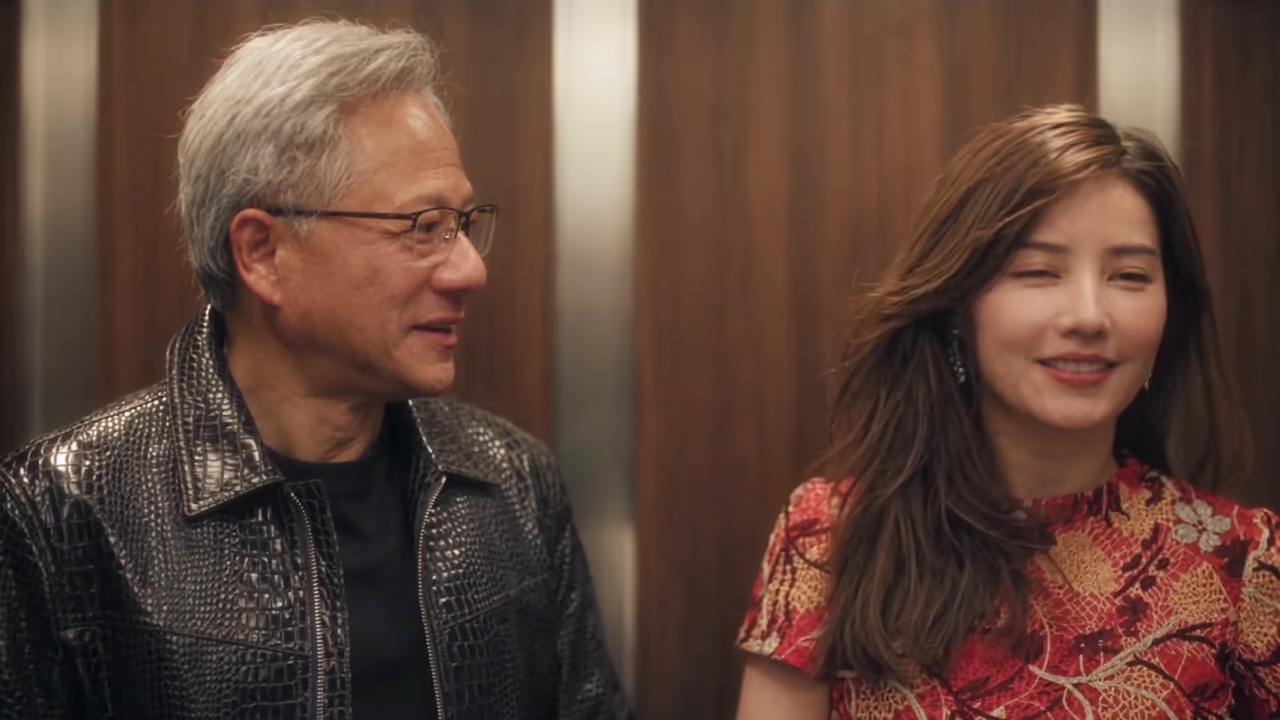
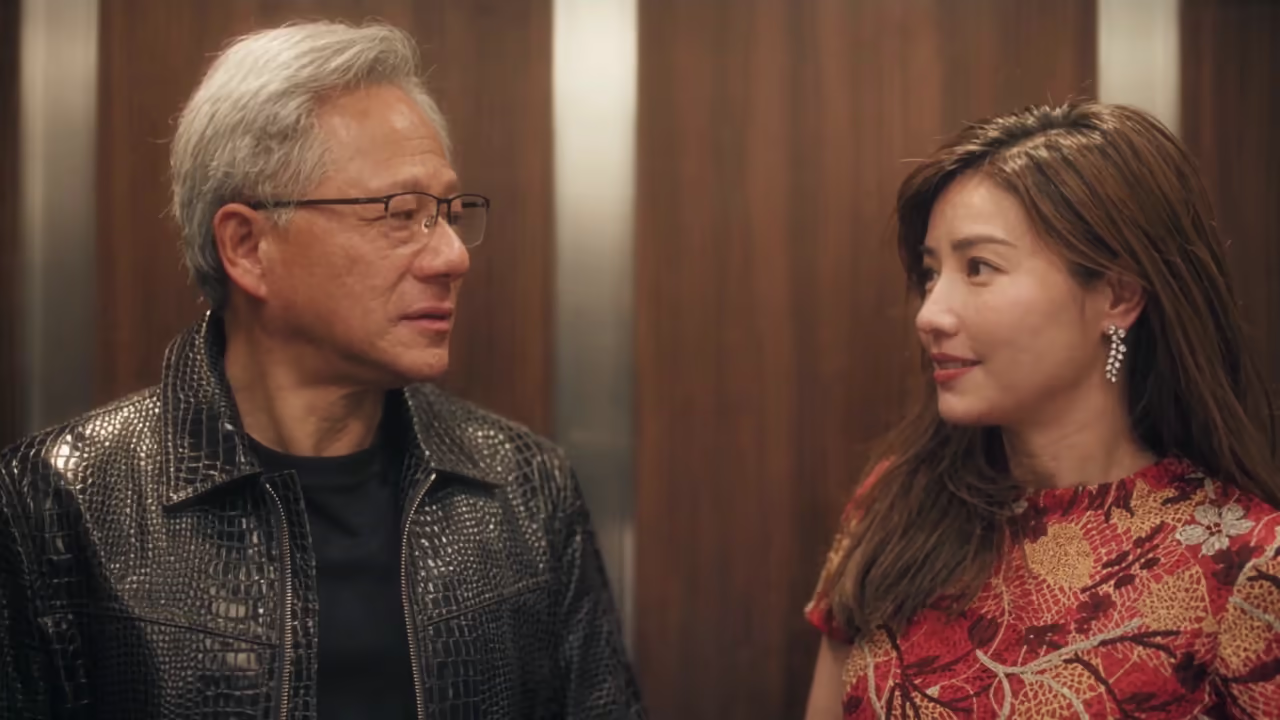
Keep the shared reaction
The I Love the Smiths AI prompt requests the original head turns, eye contact, smiles and timing.
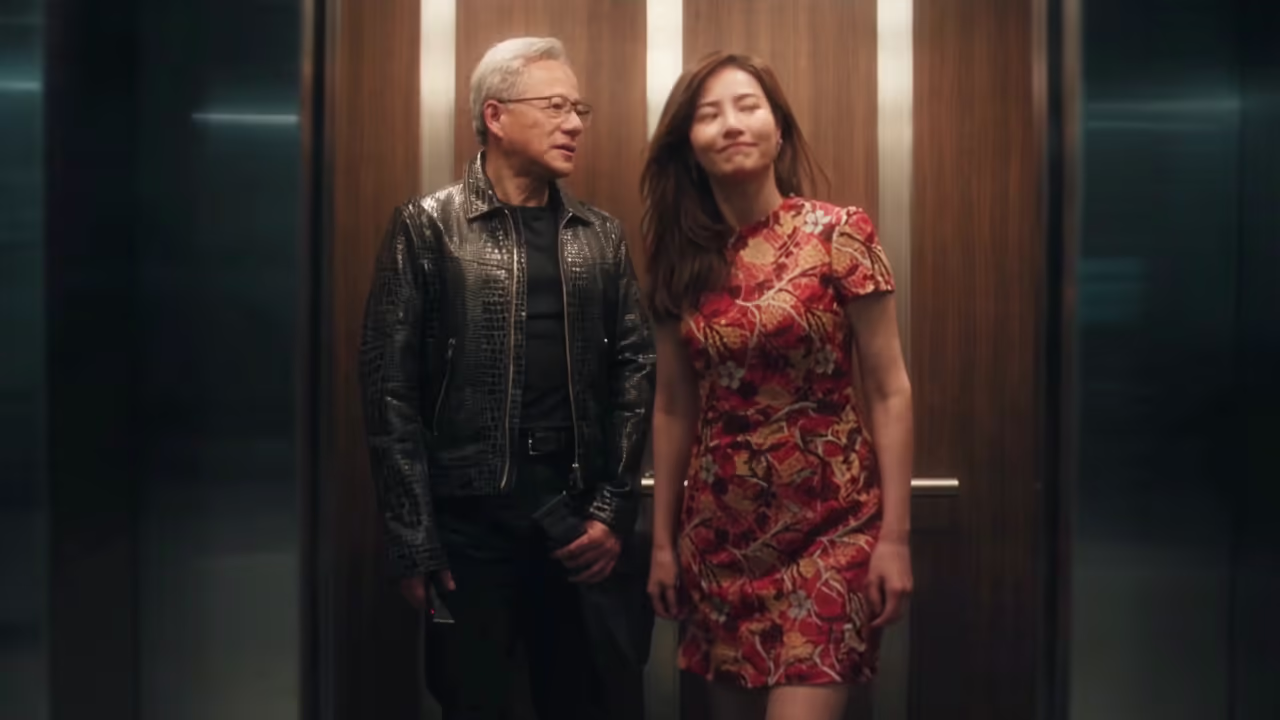
Check the exit
Photo 2 must leave on the original path. Photo 1 must remain inside through the final shot.
I Love the Smiths AI prompt
This complete prompt is built into the generator. You do not need to paste it. It requests full-person replacement and permanent role binding; review the output for identity drift or swapped actions.
@Image1 defines CHARACTER_1; @Image2 defines CHARACTER_2. Each reference is the sole authority for its character's identity, face, hair, anatomy, proportions, clothing and accessories. Keep appearances consistent. PERMANENT IDENTITY BINDING: SOURCE_A = the man initially LEFT, wearing glasses and a black leather jacket. Replace SOURCE_A ONLY with CHARACTER_1. SOURCE_B = the woman initially RIGHT, wearing a red patterned dress. Replace SOURCE_B ONLY with CHARACTER_2. Track by original identity, never by position, gaze, scale or occlusion. CHARACTER_1 always follows SOURCE_A; CHARACTER_2 always follows SOURCE_B. Never swap, merge, duplicate or transfer actions. ZERO ORIGINAL FACIAL FEATURES — HIGHEST PRIORITY: Completely replace BOTH people. NO original facial feature or geometry may remain: no source face shape, hairline, eyebrows, eyes, nose, cheeks, lips, mouth, jaw, chin, ears, skin tone or distinctive marks. Remove original hair, body appearance and clothing too. Never blend, average, morph or partially inherit source and reference appearances. At every angle, each visible face must be entirely its assigned reference-defined face. Transfer expression timing only, using each character's own facial anatomy. No source-face residue, ghosting, double exposure or identity flicker. STRICT MOTION AND INTERACTION: Preserve each person's posture, head turns, gaze, eye contact, expression timing, reactions and body orientation. Preserve who looks first, who responds, smiles, timing offsets, distance and relative positions. Each character performs ONLY its mapped source person's actions. Do not invent, omit, reorder or exchange movements. MANDATORY EXIT ASSIGNMENT: When the elevator opens, CHARACTER_2 follows SOURCE_B's original path and timing out of the elevator. CHARACTER_1 follows SOURCE_A and remains inside through the final shot. Never swap these roles. CLEAN INTEGRATION: Render one fully opaque, stable instance of each character. Keep reference-defined faces consistent in all angles and occlusions. No mixed faces, deformation, duplicates or extra limbs. BACKGROUND LOCK: Preserve the elevator, wooden panels, doors, corridor, lighting, framing, camera movement, duration and audio. Do not import either reference background. Edit only the two original people. CINEMATIC FINISH: Preserve the original lighting design and scene, with refined filmic contrast, soft highlights, rich shadows and natural cinematic color grading. Do not alter background content or action.
What is the I Love the Smiths AI trend?
I Love the Smiths AI reimagines the elevator encounter associated with (500) Days of Summer. Its appeal comes from the music, a brief glance and a small reaction. This tool edits the provided scene with two separate identity photos instead of asking you to build an elevator image first.
How to make an I Love the Smiths AI video
Assign the roles, choose the output quality and review the finished scene.
1. Upload two individual photos
Put the person who stays in Photo 1 and the person who exits in Photo 2. Clear faces and visible outfits help the I Love the Smiths AI edit.
2. Choose resolution and generate
Select 480p, 720p or 1080p and check the displayed credit quote. The I Love the Smiths AI prompt and 15-second source scene are already set.
3. Review and download
Watch both faces during turns and the door opening. Check that Photo 2 exits and Photo 1 stays, then download your I Love the Smiths AI MP4.
Built for a two-person I Love the Smiths AI edit
A fixed scene keeps the setup focused on your two characters.
Separate photo inputs
Each I Love the Smiths AI character has its own reference. You do not need to merge two portraits into one image.
Permanent role mapping
The prompt tracks original identities through position changes and occlusion, with an explicit stay-versus-exit assignment.
Full appearance replacement
The I Love the Smiths AI prompt requests reference-defined faces, hair, body proportions, clothing and accessories without mixing source faces.
Original scene and audio
The edit requests the same elevator, corridor, camera movement, reaction timing and source soundtrack.
Three resolutions
Try your I Love the Smiths AI pairing at 480p, or choose 720p or 1080p. Both photos are included in the displayed quote.
Recovery and refunds
Accepted tasks continue in the background. Recover the latest task within 24 hours; completed videos remain in Recent generations for 30 days.
I Love the Smiths AI ideas
Change the cast while keeping the same elevator encounter.
A couple edit
Cast yourself and your partner in an I Love the Smiths AI keepsake. Choose portraits with the outfits you want to see in the scene.
Music-loving friends
Make an I Love the Smiths AI clip with a friend who shares your taste in music. Assign the roles before uploading.
A character pairing
Try two original character portraits with clear, distinct silhouettes. Check how each I Love the Smiths AI character holds up in profile.
I Love the Smiths AI FAQ
Photos, role assignment, output settings and recovery.
What photos does I Love the Smiths AI need?
Upload two separate single-person photos. Each must be JPG, PNG or WebP, at least 300 × 300 px and no larger than 10 MiB. Use a clear face and show the clothing you want the character to wear.
Who stays and who leaves in I Love the Smiths AI?
Photo 1 replaces the man initially on the left and must remain in the elevator. Photo 2 replaces the woman initially on the right and must follow her original exit. The mapping follows each original person, not their later screen position.
Do I need to enter an I Love the Smiths AI prompt?
No. The full prompt shown on this page is built in. It asks for complete replacement of both people while keeping the background, actions and audio. Photo selection controls the new appearances.
Does I Love the Smiths AI guarantee perfect identity?
No. The prompt is designed to reduce mixed faces and swapped roles, but AI video can still produce identity drift, clothing errors or altered actions. Review the full output, especially profiles, occlusions and the exit.
What duration and resolutions does I Love the Smiths AI support?
The output is fixed at 15 seconds in 16:9 to include the elevator exit. Choose 480p, 720p or 1080p; the credit quote updates with the resolution.
How many credits does I Love the Smiths AI cost?
The default 15-second 480p edit costs 600 credits for both characters. 720p costs 1,200 credits and 1080p costs 2,400 credits. Failed or timed-out tasks refund the amount actually charged.
Does I Love the Smiths AI keep the source audio?
The edit is configured to preserve the source audio rather than generate a new soundtrack. Listen to the final video before sharing. It does not create custom dialogue or grant rights to the source music.
Can I leave the I Love the Smiths AI page while generating?
Keep the page open during upload and the free queue. Once accepted, your task continues in the background. Recover the latest task within 24 hours or find completed videos in Recent generations for 30 days.
Are the I Love the Smiths AI examples generated on ImageLayered?
No. The source template was provided by the user and the additional examples come from Media.io. They are labeled as references and do not demonstrate a tested ImageLayered result.
Cast your I Love the Smiths AI scene
Choose two photos and give each person a clear role in the elevator encounter.
Create my elevator video