Text · Image · Reference · Video Edit
A2E AI Video Generator
Create short videos with A2E AI Video Generator. Turn text, photos and references into motion, choose a model and review the credit price before generating. This ImageLayered workspace runs the selected model through WaveSpeed.
Credits are charged when a task is created. Failed or timed-out tasks are refunded automatically.
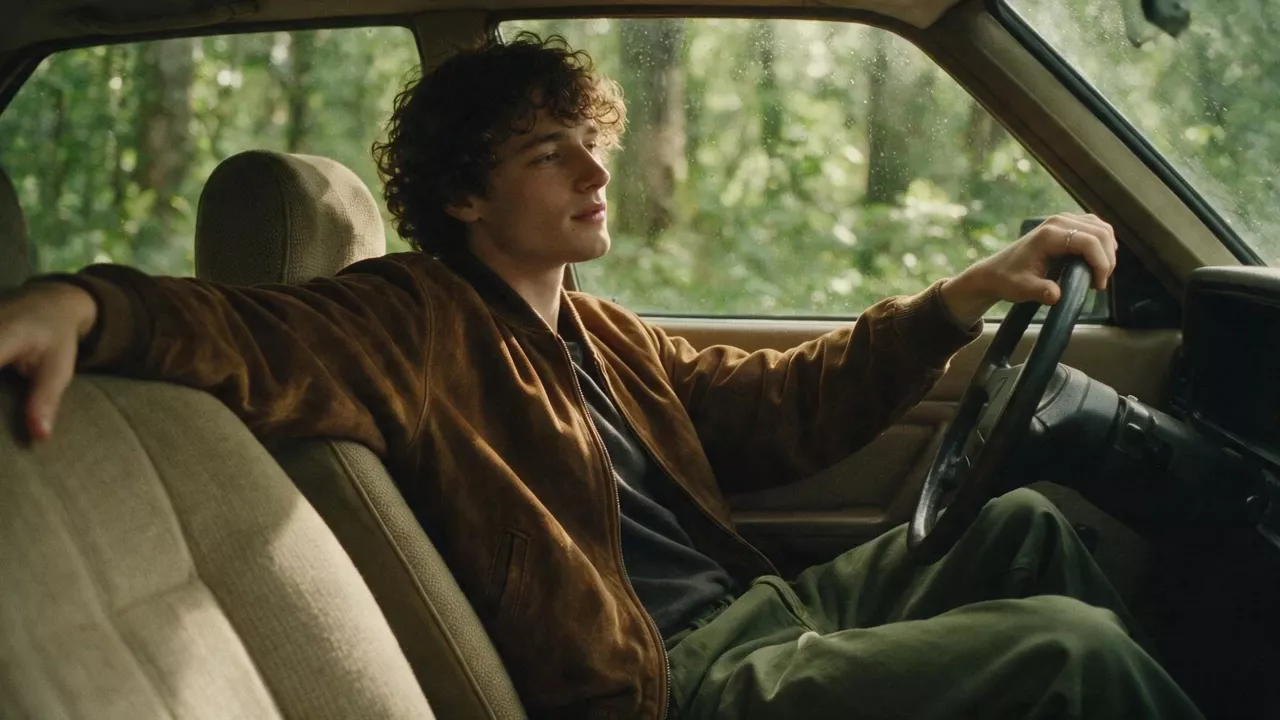
Rainy road trip
Prompt and recorded settings
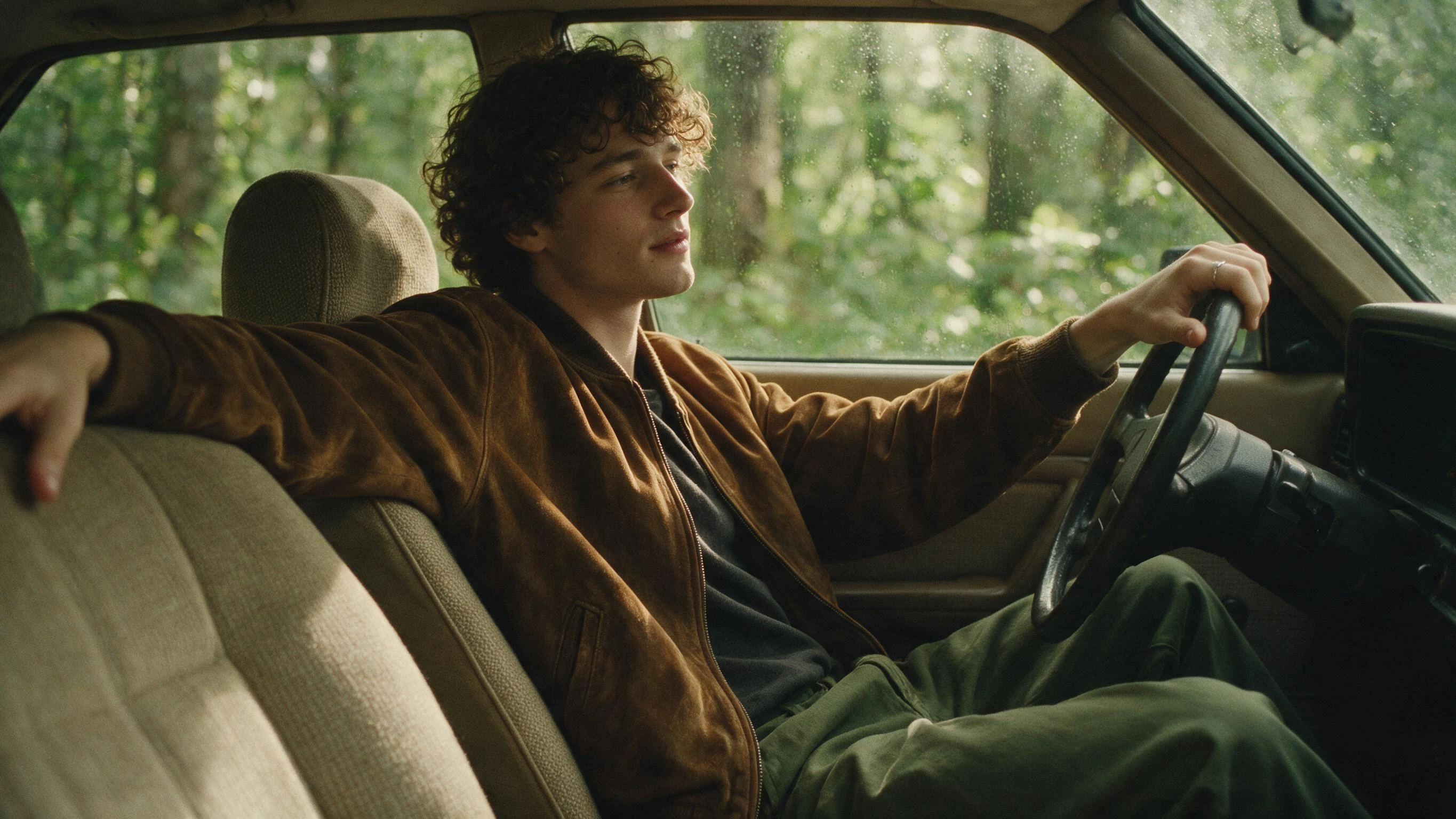
crisp quick natural pacing no slow motion, film grain soft muted tones, young curly-haired guy in brown suede jacket, dark tee, olive green pants, slouched inside vintage beige fabric car, one hand on steering wheel, other arm laid over passenger seat, rainy forest trees outside window with water droplets, subtle natural light shift, gentle slight camera pan, soft earthy retro color grading, delicate fabric & rain drop texture details, calm laid-back road trip vibe, sharp realistic skin and suede textures
Resolution: 720p · Duration (seconds): 5 · Generate audio: true
Previewing examples and filling the prompt and settings is free. Upload your own images or source video where needed; only clicking Generate creates a charged task. Any settings not recorded for this example use the model defaults.
Watch · Explore · Create
Explore A2E AI Video Generator examples
Discover motion, camera work and editing ideas for A2E AI Video Generator. Each card identifies the actual model and links to its provider example. Fill the prompt and settings, then add your own images or video.
Seedance 2.5 · Text to Video
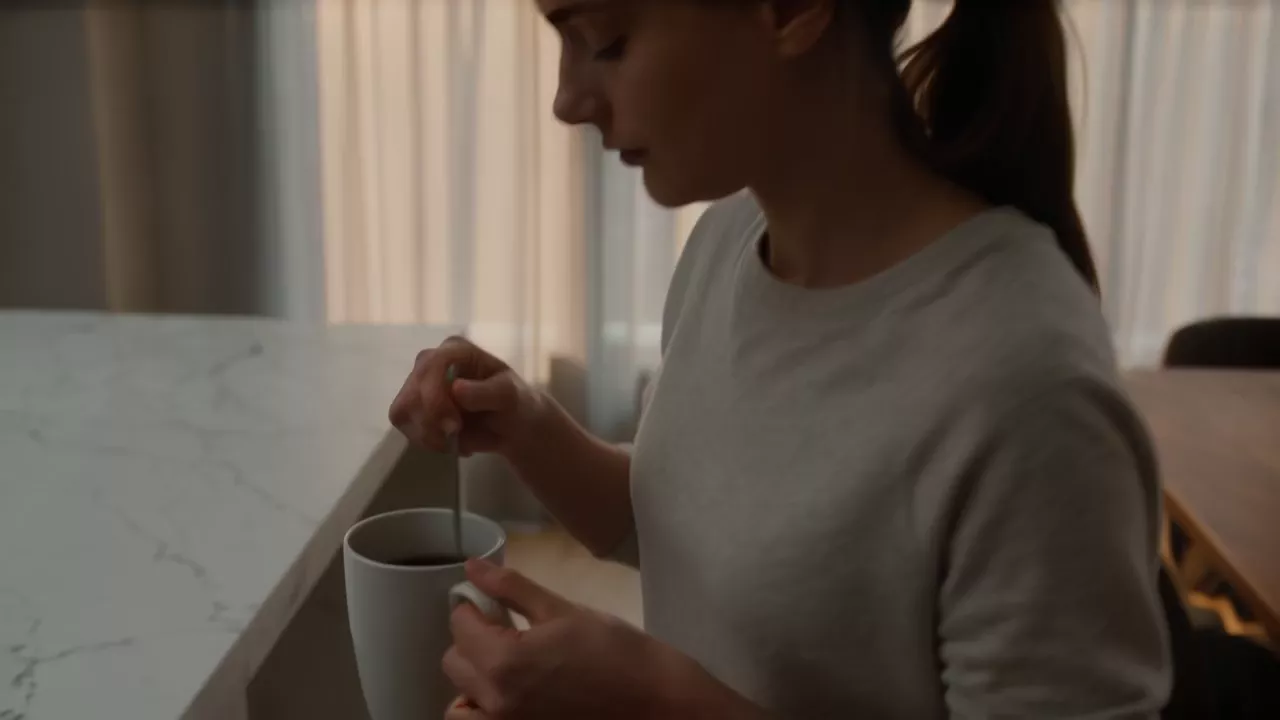
An unexpected morning
Source: WaveSpeedPrompt and recorded settings
A young woman prepares breakfast inside a quiet modern apartment early in the morning. She casually opens the curtains and freezes: an enormous silent spacecraft is hovering between the nearby skyscrapers. Her coffee cup slowly lowers from her hand as sunlight reflects from the ship across the room. The camera begins with an intimate domestic shot, follows her toward the window, then pulls behind her shoulder into a massive exterior reveal. Grounded science fiction, realistic scale, quiet awe, cinematic morning light.
Aspect ratio: 16:9 · Resolution: 720p · Duration (seconds): 5 · Generate audio: true
Seedance 2.0 Mini · Image to Video
Rainy road trip
Source: WaveSpeedPrompt and recorded settings
crisp quick natural pacing no slow motion, film grain soft muted tones, young curly-haired guy in brown suede jacket, dark tee, olive green pants, slouched inside vintage beige fabric car, one hand on steering wheel, other arm laid over passenger seat, rainy forest trees outside window with water droplets, subtle natural light shift, gentle slight camera pan, soft earthy retro color grading, delicate fabric & rain drop texture details, calm laid-back road trip vibe, sharp realistic skin and suede textures
Resolution: 720p · Duration (seconds): 5 · Generate audio: true
Kling 3 Turbo Pro · Image to Video
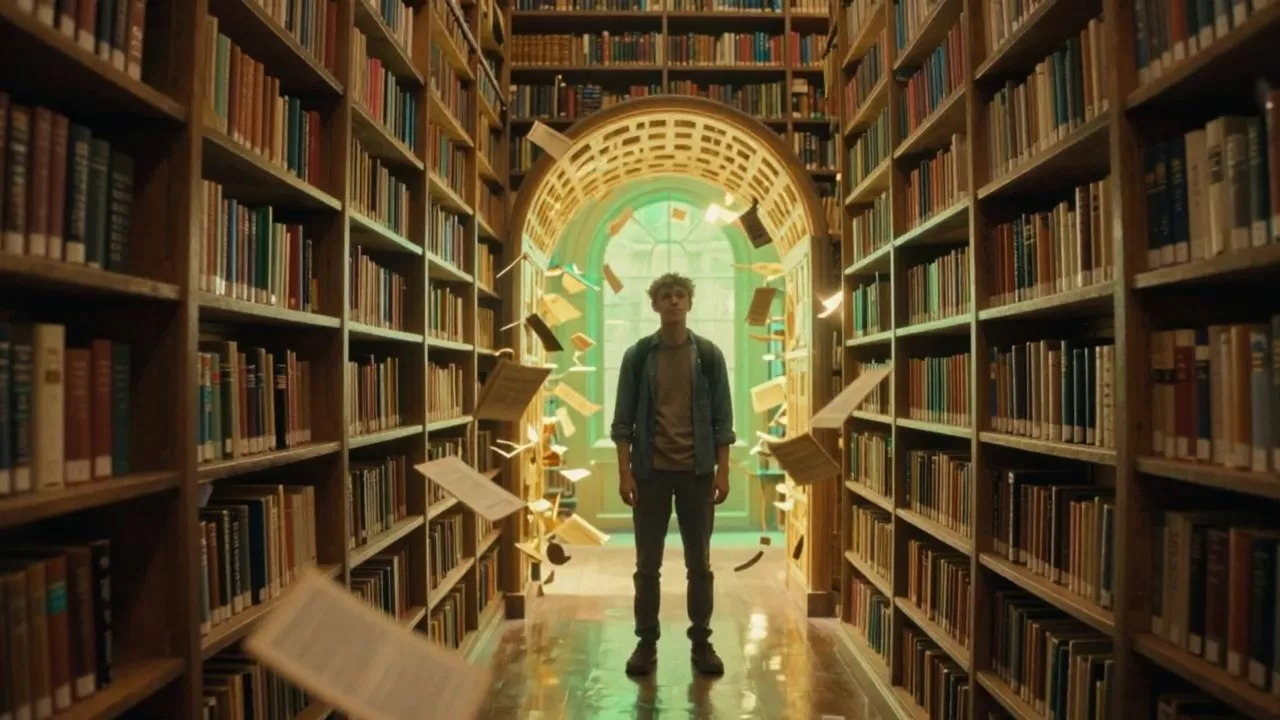
The magical library
Source: WaveSpeedPrompt and recorded settings
Pages fly out from the shelves and spiral into the portal. The student reaches for one floating page, the library clock spins backward, and the camera rotates slightly as the room bends around him.
Duration (seconds): 5
Veo 3.1 · Image to Video
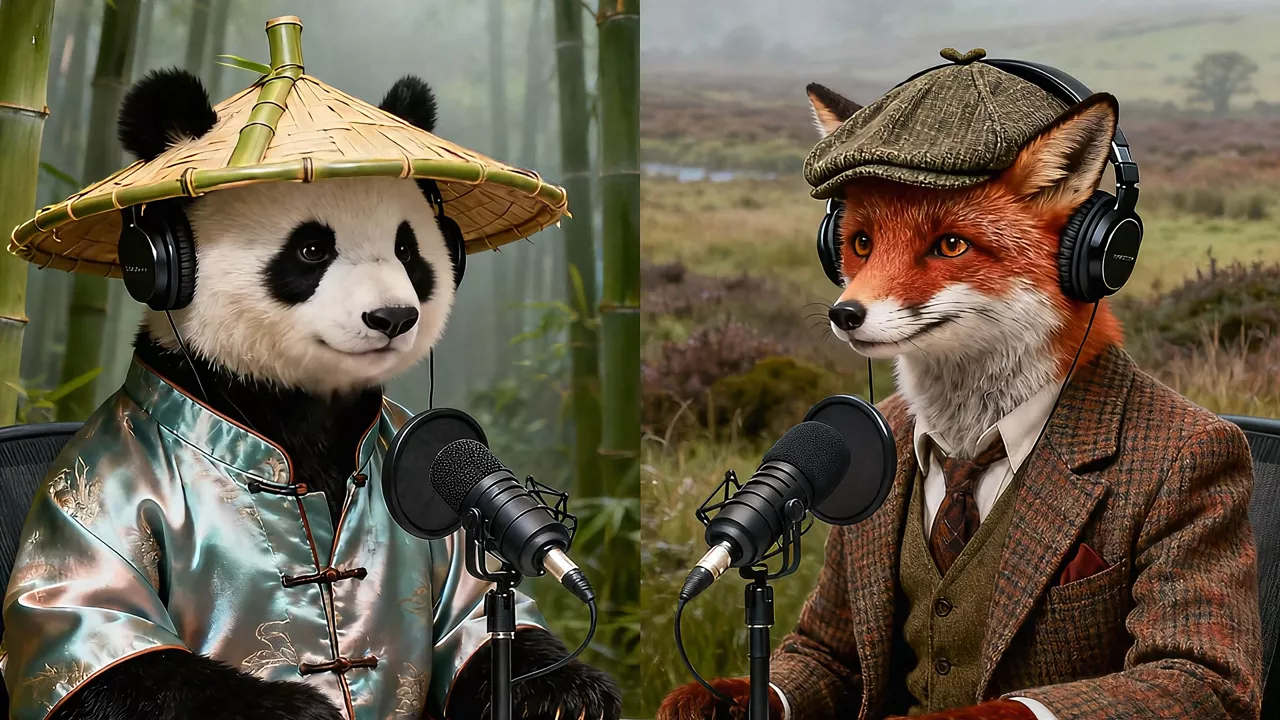
Animal podcast
Source: WaveSpeedPrompt and recorded settings
Context: A Panda named Bamboo and a Red Fox named Tweed host a casual, witty podcast called "Quantum Quibbles." Task: Write the absolute shortest, most punchy opening exchange for an episode on quantum entanglement. Focus only on quick introductions and the topic title. Panda (Bamboo): "Welcome to Quantum Quibbles! I'm Bamboo." Red Fox (Tweed): "And I'm Tweed!" Panda (Bamboo): "Today: Quantum Entanglement!" Red Fox (Tweed): "Let's dive in."
Aspect ratio: 16:9 · Resolution: 1080p · Duration (seconds): 8 · Generate audio: true
Grok Imagine · Reference to Video
Runway product showcase
Source: WaveSpeedPrompt and recorded settings
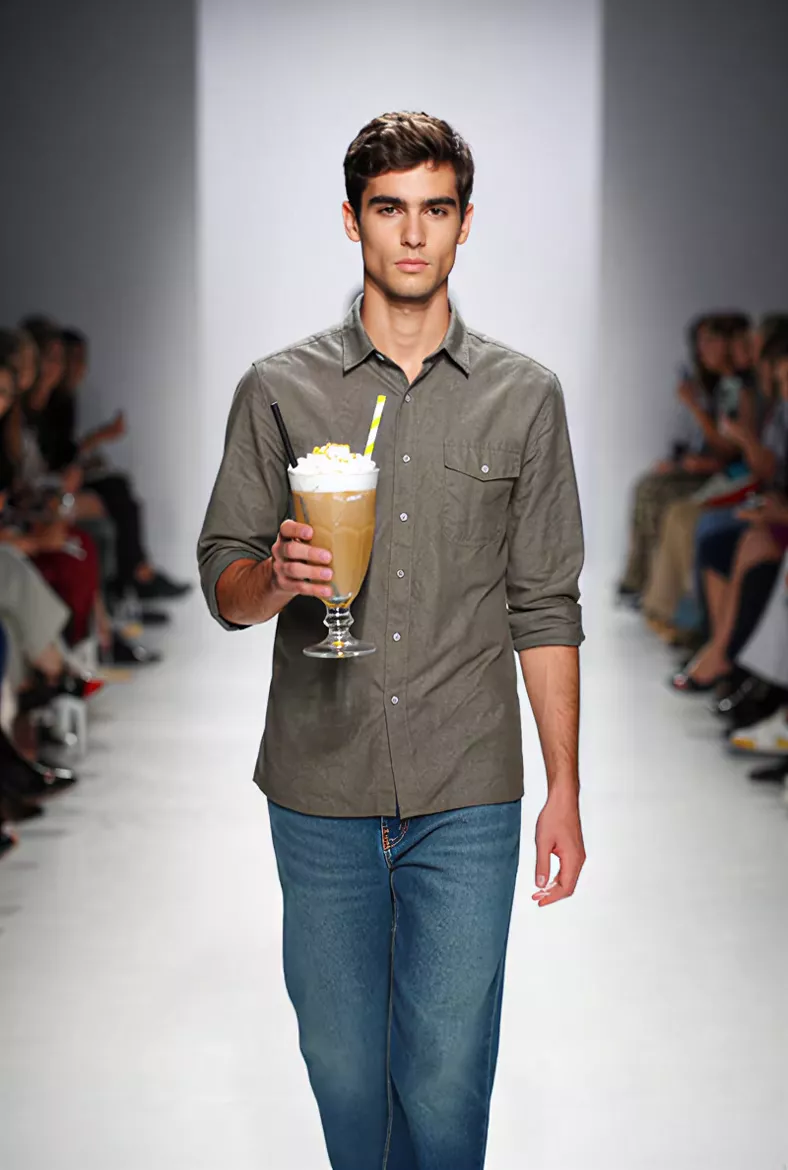
The model in Figure 1 is holding the beverage in Figure 2 and confidently walking down the runway.
Resolution: 720p · Duration (seconds): 6
MiniMax H3 · Video Edit
A rainy evening
Source: WaveSpeedPrompt and recorded settings
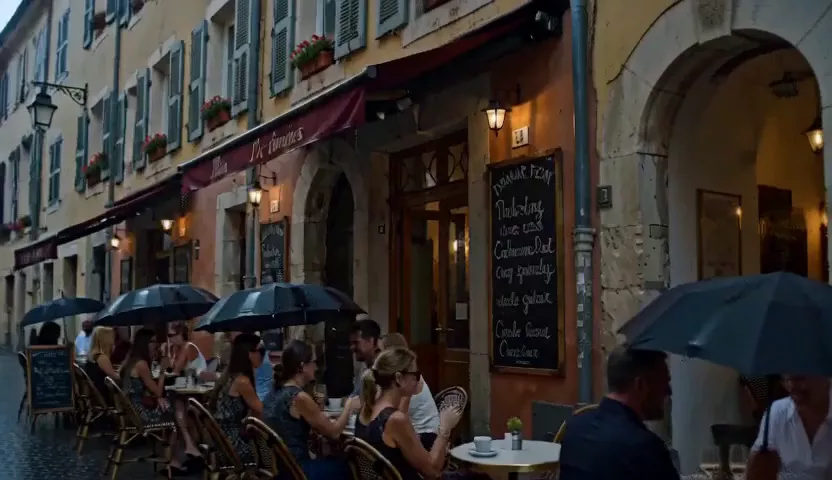
Turn the scene into a rainy evening: wet cobblestones reflecting the warm cafe lights, light drizzle, a few umbrellas over the tables. Ambient rain and soft cafe chatter.
Resolution: 480p
These are WaveSpeed provider demonstrations, hosted on ImageLayered for playback. They are not A2E outputs or ImageLayered test results. Previewing, copying and filling settings is free; clicking Generate creates a paid task. Unrecorded settings use current model defaults.
What is A2E AI Video Generator?
A2E AI Video Generator combines image animation, prompt-based video and digital-human tools, including talking photos and audio-driven lip sync. Compare A2E AI Video Generator workflows here, then try ImageLayered. Your selected model determines the available inputs, controls and pricing.
Read A2E’s official documentationA2E AI Video Generator features
This A2E AI Video Generator brings four creation modes into one workspace.
Text to video
Start your A2E AI Video Generator workflow with a subject, action and camera movement, then choose a compatible model.
Image to video
Animate a portrait, product or illustration. Begin your A2E AI Video Generator project with a clear image and one movement.
Reference to video
Guide a scene with reference images. This A2E AI Video Generator displays each model’s image limits and reference controls.
Edit an existing video
Upload an MP4 and describe a change. Use A2E AI Video Generator to transform subjects, settings or visual style.
Choose your model
Browse published models by company and mode. Your A2E AI Video Generator controls adapt to the selected model.
Review credits, then create
Review the exact quote. This A2E AI Video Generator updates credits when duration, resolution or billable settings change.
How to use A2E AI Video Generator
Create your first clip in three steps with the A2E AI Video Generator workspace.
Choose an input and model
In this A2E AI Video Generator, select text, image, reference or edit mode. Browse models that support your input.
Describe one clear action
Upload your own assets where required. Give your A2E AI Video Generator prompt a subject, movement, camera direction and lighting.
Review, generate and download
Check settings and credits, then generate. Preview your A2E AI Video Generator result and download the completed MP4.
A2E AI Video Generator ideas to try
Match a creative goal to an input. These A2E AI Video Generator ideas can be explored with the compatible models available here.
Social clips
Test a hook for Reels or Shorts. Let one clear action carry your A2E AI Video Generator scene.
Product movement
Describe a reveal or orbit around your product image. Explore presentation ideas with A2E AI Video Generator.
Portrait animation
Add a glance or gentle turn. Keep A2E AI Video Generator portrait prompts specific and restrained.
Cinematic concepts
Test an entrance, reveal or tracking shot. Develop a visual direction with A2E AI Video Generator.
Storyboards in motion
Test one story beat before assembling a sequence. Review character details between A2E AI Video Generator clips.
Creative variations
Keep the subject; vary lighting or framing. Compare A2E AI Video Generator concepts before a longer production.
Before choosing an A2E AI Video Generator workflow
A useful A2E AI Video Generator comparison starts with the result you need. Check these details before spending credits.
Clip length and framing
Duration, resolution and aspect ratio depend on the model. Your A2E AI Video Generator only shows options available for the current mode.
Character consistency
Reference images guide appearance but cannot guarantee identical details across shots. Review faces and hands in each A2E AI Video Generator result.
Audio and talking photos
Generated audio varies by model. A2E AI Video Generator includes dedicated talking-photo tools; this workspace offers the selected model’s audio controls, without audio uploads.
Finishing your video
Plan captions, sequencing and music for your final edit. A2E AI Video Generator produces clips that you can download and continue editing.
A2E AI Video Generator vs ImageLayered
Choose by workflow. A2E AI Video Generator has dedicated digital-human tools; ImageLayered focuses on choosing a video model and creating or editing clips in one workspace.
| Workflow | A2E AI Video Generator | ImageLayered |
|---|---|---|
| Text, image and reference inputs | Documents all three generation modes. | Four modes: text, image, reference images and video editing. |
| Talking photos and lip sync | Dedicated portrait-and-audio tools. | Model-dependent audio; no uploaded-audio lip-sync tool. |
| Model selection | Check A2E’s current catalog. | Browse published models by company and mode. |
| Price before generation | Check the current tool and plan. | Live credit quotes follow model and settings. |
| Downloads and recovery | Check current account policies. | 30-day MP4 downloads, recent generations and latest-task recovery. |
A2E comparison sources: official video and talking-photo documentation. Checked October 12, 2026. Features and plans can change. A2E Video · A2E Talking Photo
When A2E AI Video Generator fits
Explore A2E AI Video Generator directly when your project needs its dedicated talking-photo or audio-driven lip-sync tools. Check its current documentation for the exact input and plan requirements.
When to use this A2E AI Video Generator workspace
Use this A2E AI Video Generator workspace for model choice, four input modes and visible credit quotes. Adapt a provider example to your scene.
A2E AI Video Generator FAQ
Answers for comparing A2E AI Video Generator and creating videos with ImageLayered.
Is this the official A2E AI Video Generator?
No. ImageLayered is independent and unaffiliated with A2E. The A2E AI Video Generator name identifies the platform compared; generation here uses your selected model through WaveSpeed.
Can I try A2E AI Video Generator for free?
Browsing, copying and filling settings is free. This A2E AI Video Generator requires sufficient credits to generate. Signup credits may not cover videos; free accounts queue and paid users skip.
Can A2E AI Video Generator animate my photo?
Yes. This A2E AI Video Generator accepts JPG, PNG or WebP images up to 10 MB each, at least 128 × 128 pixels.
Which models does this A2E AI Video Generator offer?
The picker shows currently published models for your mode. Browse your A2E AI Video Generator options by company; settings depend on the model.
How much does this A2E AI Video Generator cost?
The exact quote follows the model, duration, resolution and supported extras. Check your A2E AI Video Generator credit cost before generating.
How long are A2E AI Video Generator clips?
The controls show each model’s supported values. For editing, your A2E AI Video Generator quote uses source duration and model billing rules.
Does this A2E AI Video Generator support lip sync?
This A2E AI Video Generator offers model-dependent generated audio, without uploaded-audio lip sync. For dedicated talking photos, explore A2E’s official tool.
What if my A2E AI Video Generator task fails?
This A2E AI Video Generator automatically refunds failed tasks and 30-minute timeouts. One generation can run per account across ImageLayered tools.
Can I close this A2E AI Video Generator page?
Yes, after task creation. Recover your latest task from the past 24 hours. Completed A2E AI Video Generator videos appear in recent generations for 30 days.
Where do the A2E AI Video Generator comparison examples come from?
These are attributed WaveSpeed provider demonstrations for models in this A2E AI Video Generator, hosted by ImageLayered. They are not A2E outputs or our tests.
More tools for A2E AI Video Generator projects
Continue your A2E AI Video Generator workflow with a dedicated creation mode or a ready-made video concept.
Create a new scene from a written prompt.
Image to VideoBring a photo or illustration to life.
Reference to VideoGuide a scene with reference images.
AI Video EditorTransform an existing MP4 clip.
Hotel LobbyCreate a two-person performance video.
AI Zombie VideoTurn two portraits into a short story.
Try your next A2E AI Video Generator idea
Bring a prompt, photo or clip. Explore this A2E AI Video Generator, review your settings and create with ImageLayered.
Create a videoThis A2E AI Video Generator page is provided by ImageLayered, an independent service. A2E is a third-party platform; no affiliation, sponsorship or endorsement is implied. Generation and credit billing on this page are provided by ImageLayered.