Qwen Image 2.1 Generator
Create from text. Edit your images. Customize with LoRA.
About this tool
Use Qwen Image 2.1 text-to-image to create from a prompt, or Qwen Image 2.1 edit with up to 10 reference images. Add custom LoRAs for style and character control, choose 1K, 1.5K, or 2K, and download in PNG, JPG, or WebP.
Credits depend on resolution, reference count, and the selected model. Adding references can increase the price.
Qwen Image 2.1 Workspace
Your reference images, reimagined
Upload up to 10 images, describe what to change and what to preserve, then generate. Name each reference as <Picture 1>, <Picture 2>, and so on in your prompt.
Qwen Image 2.1 Examples
Explore six real generations for each model: image edit, text-to-image, edit LoRA, and text-to-image LoRA. Compare edits with their references, then load the prompt and generation settings into the workspace.
6 generated examples
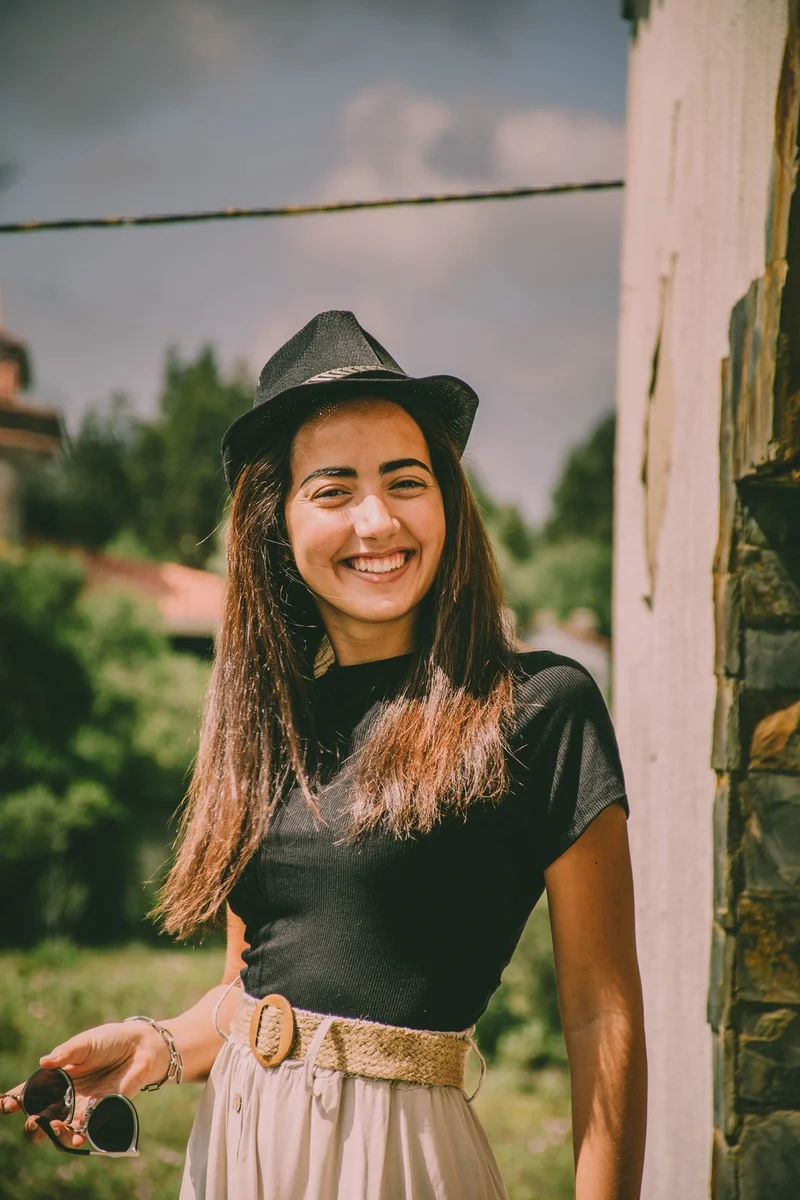
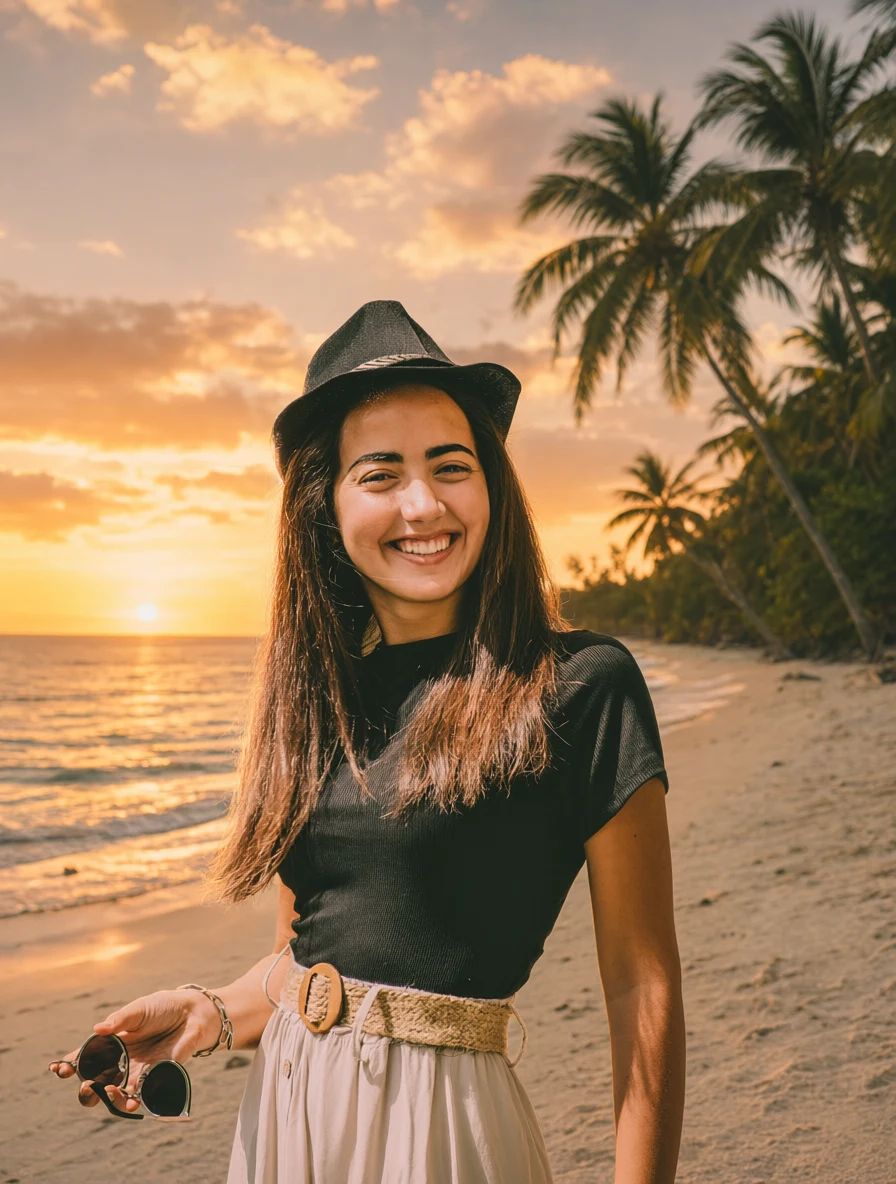 Qwen result
Sunset Beach
1K · 3:4
Replace the background with a tropical beach at sunset. Preserve the person exactly as in the original image, including facial features, hairstyle, body shape, clothing, pose, camera angle, and crop. Match the new background lighting naturally to the subject, with subtle warm rim light and realistic contact shadows.
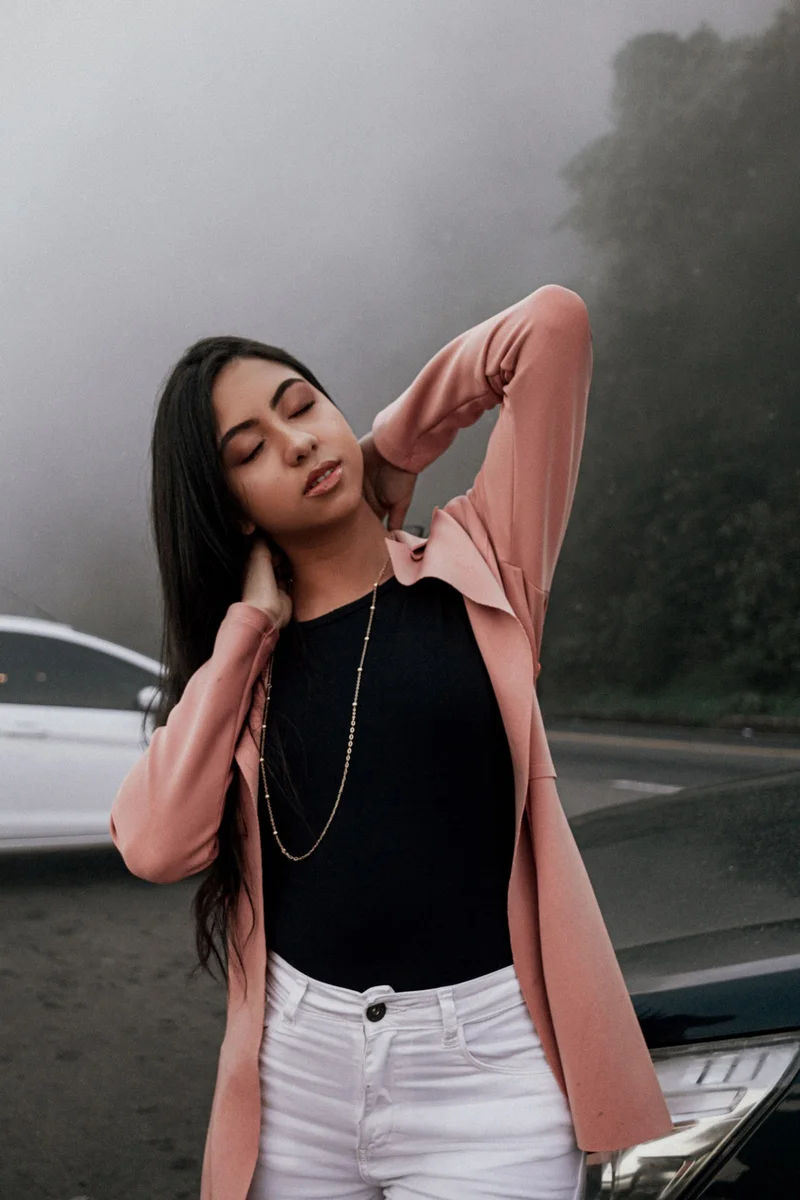
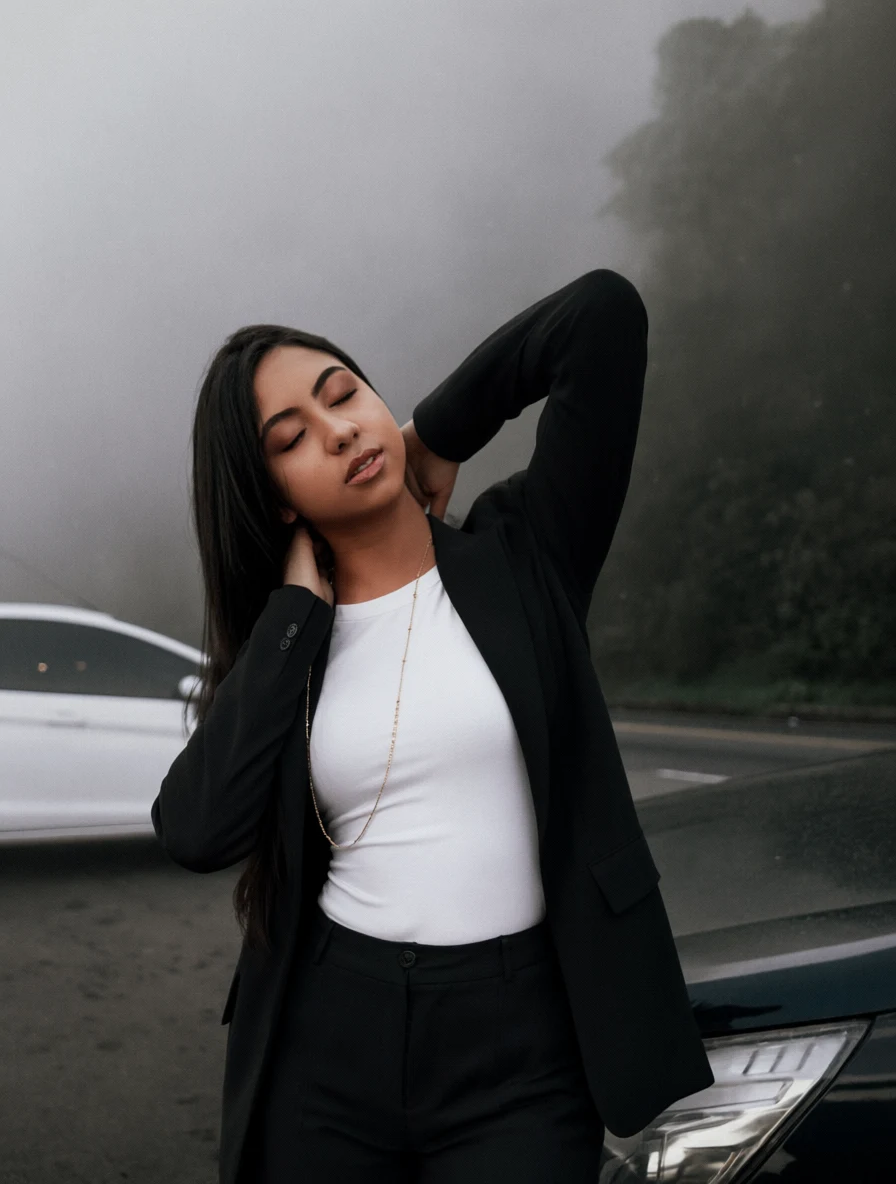 Qwen result
Tailored Outfit
1K · 3:4
Replace the person's current outfit with a tailored black oversized blazer, white fitted T-shirt, and dark straight-leg trousers. Preserve the person's identity, face, hairstyle, body shape, pose, hands, expression, background, camera position, and lighting exactly. Make the new clothing fit naturally with realistic fabric folds and shadows.
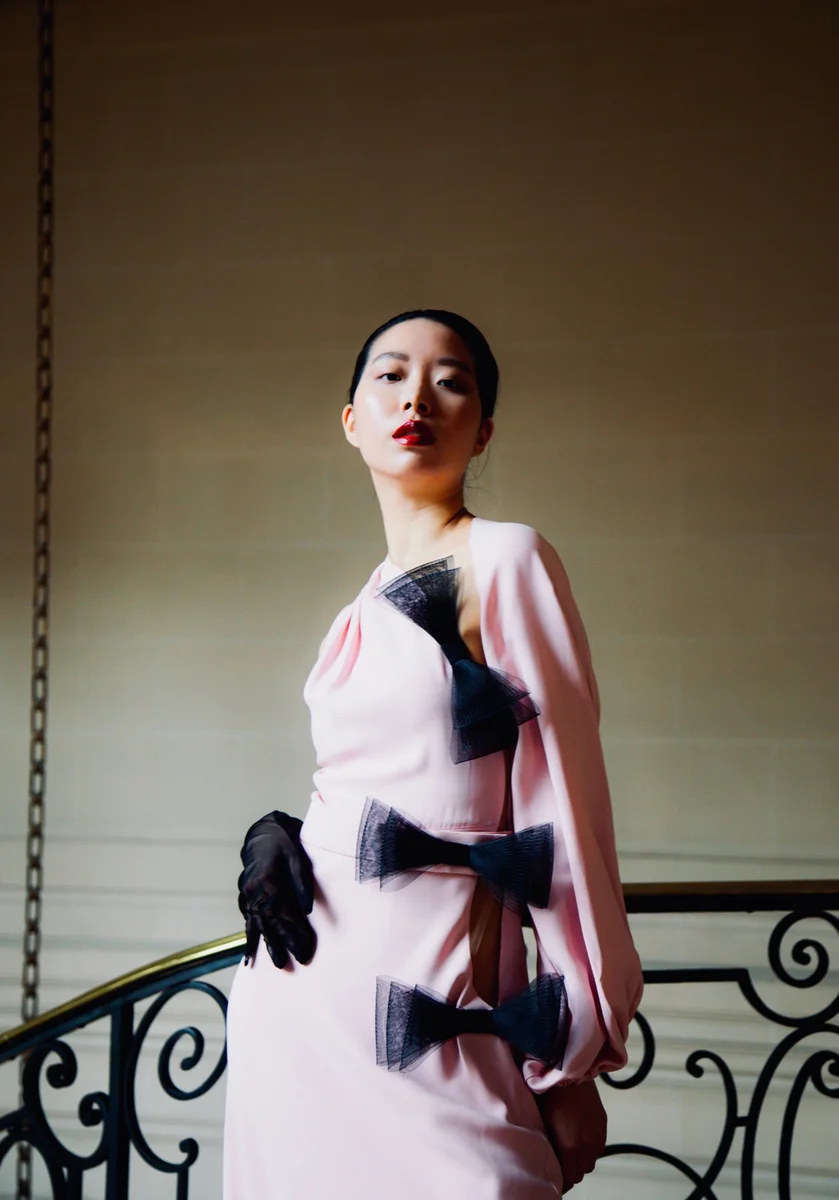
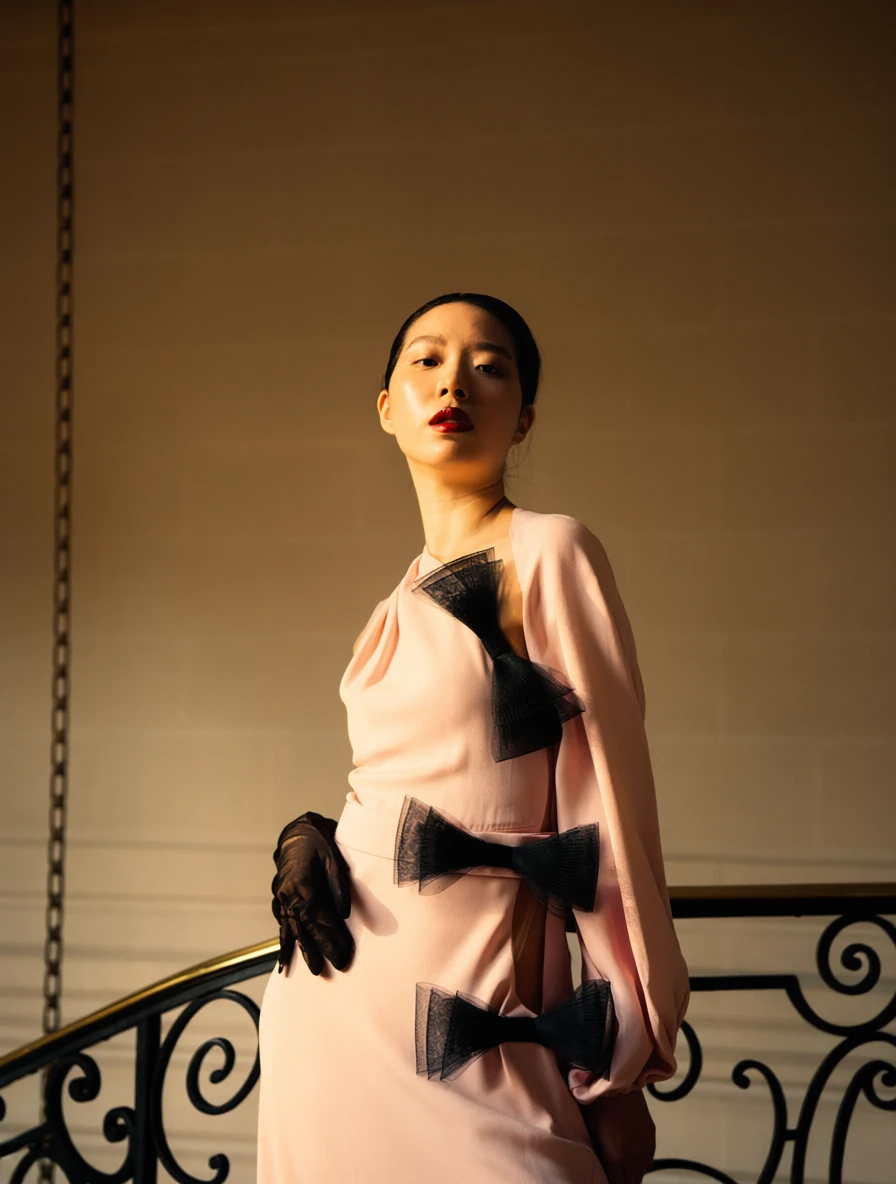 Qwen result
Golden Hour Light
1K · 3:4
Change the lighting to cinematic golden-hour sunlight coming from the left side of the frame. Add warm directional highlights and soft realistic shadows while preserving the subject, facial features, pose, clothing, background, composition, colors, and camera perspective exactly.
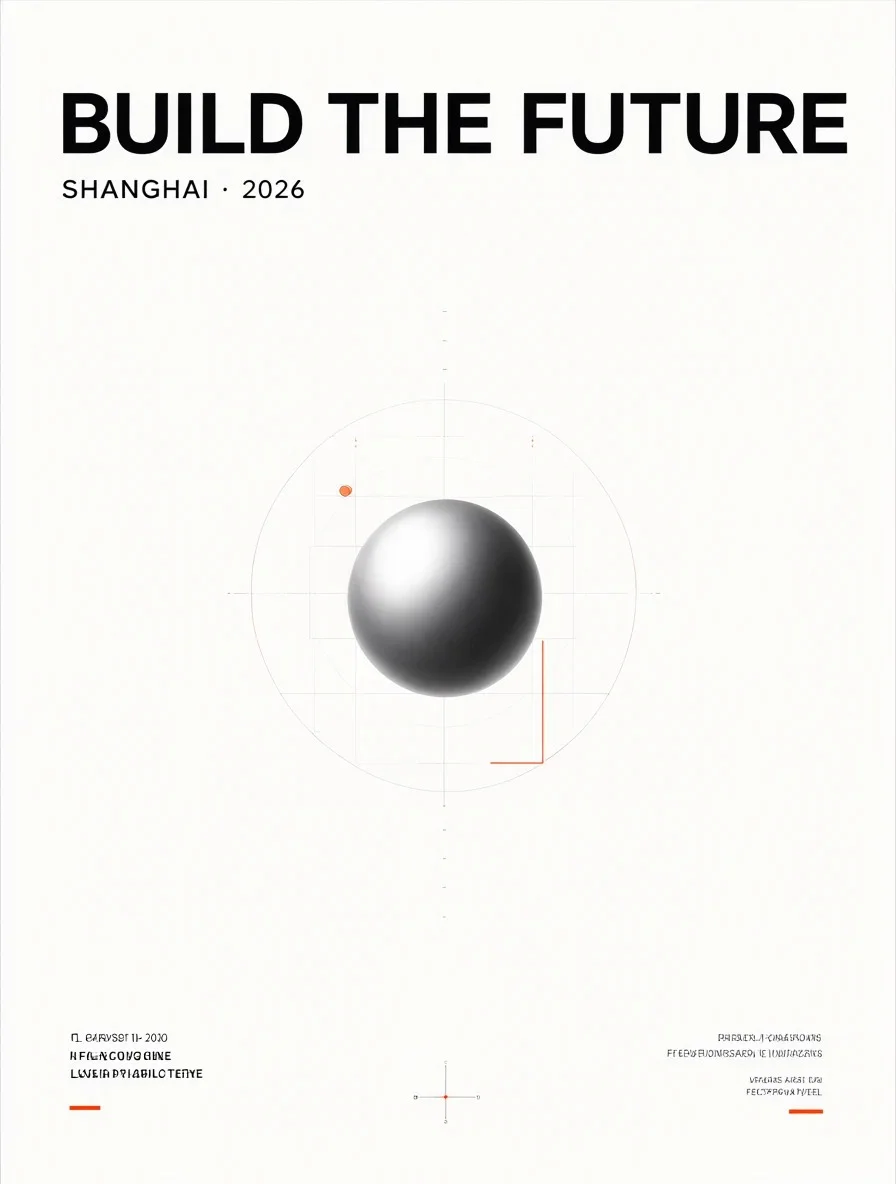
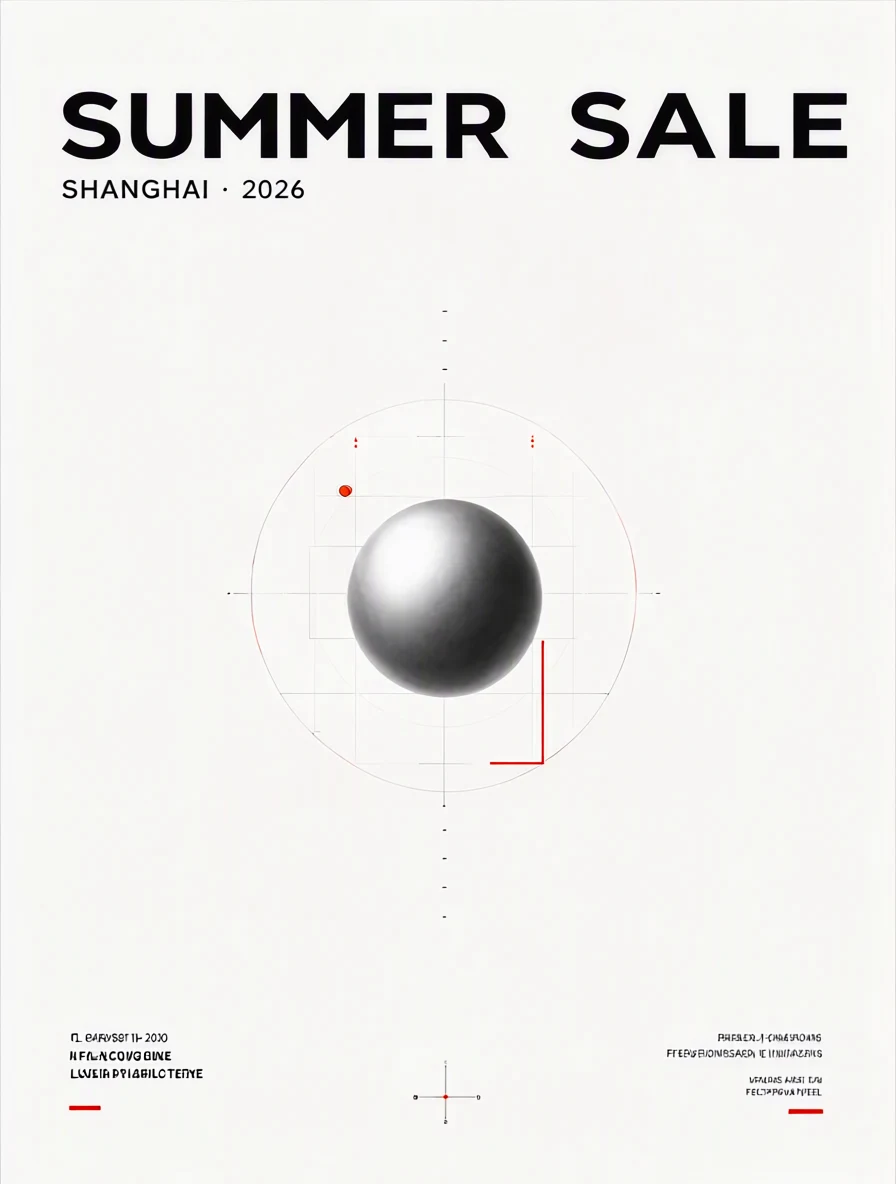 Qwen result
Headline Replacement
1K · 3:4
Replace the headline text with "SUMMER SALE" while preserving the original font style, font weight, text size, alignment, spacing, color, perspective, shadows, and surrounding graphic design. Keep every other visual element exactly unchanged.
 Qwen result
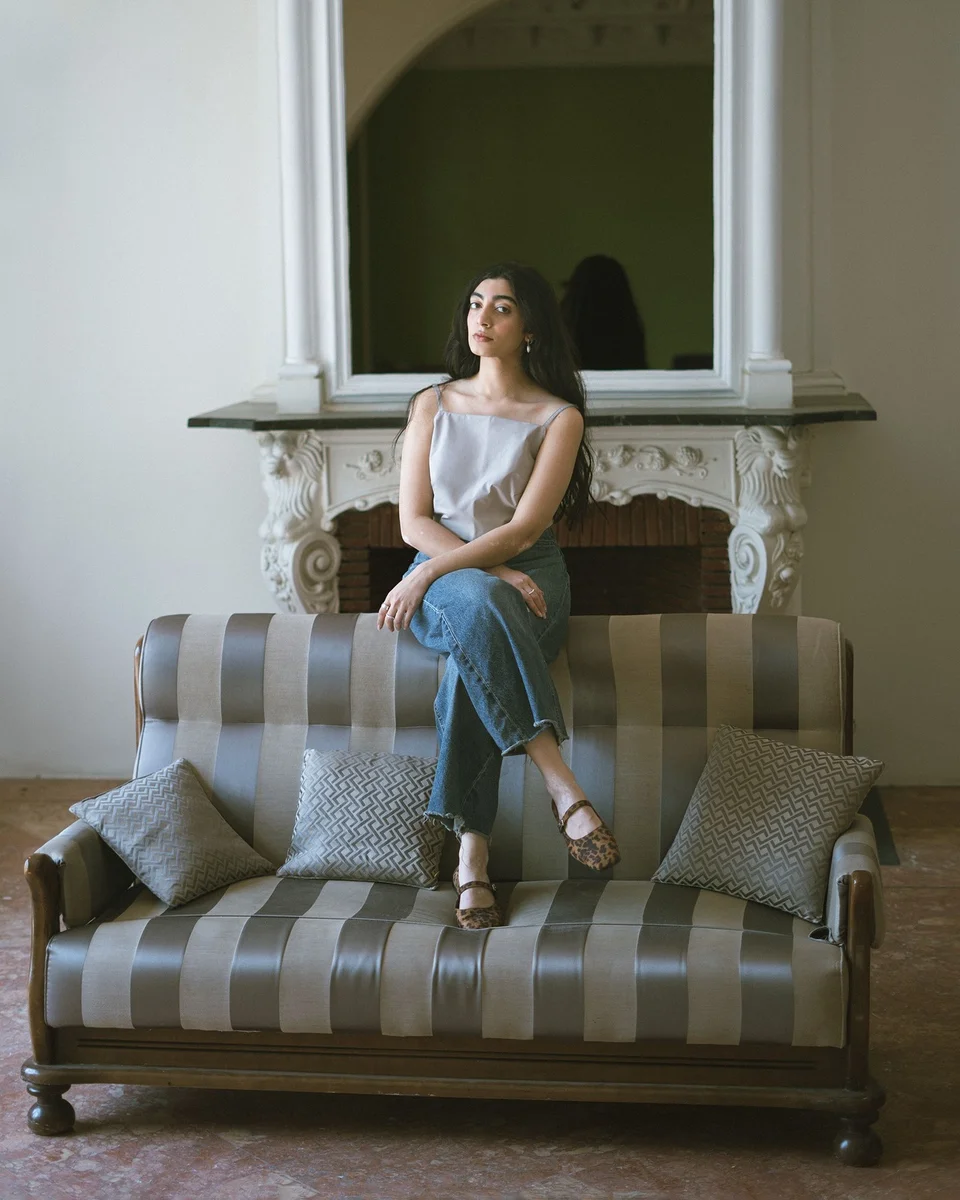
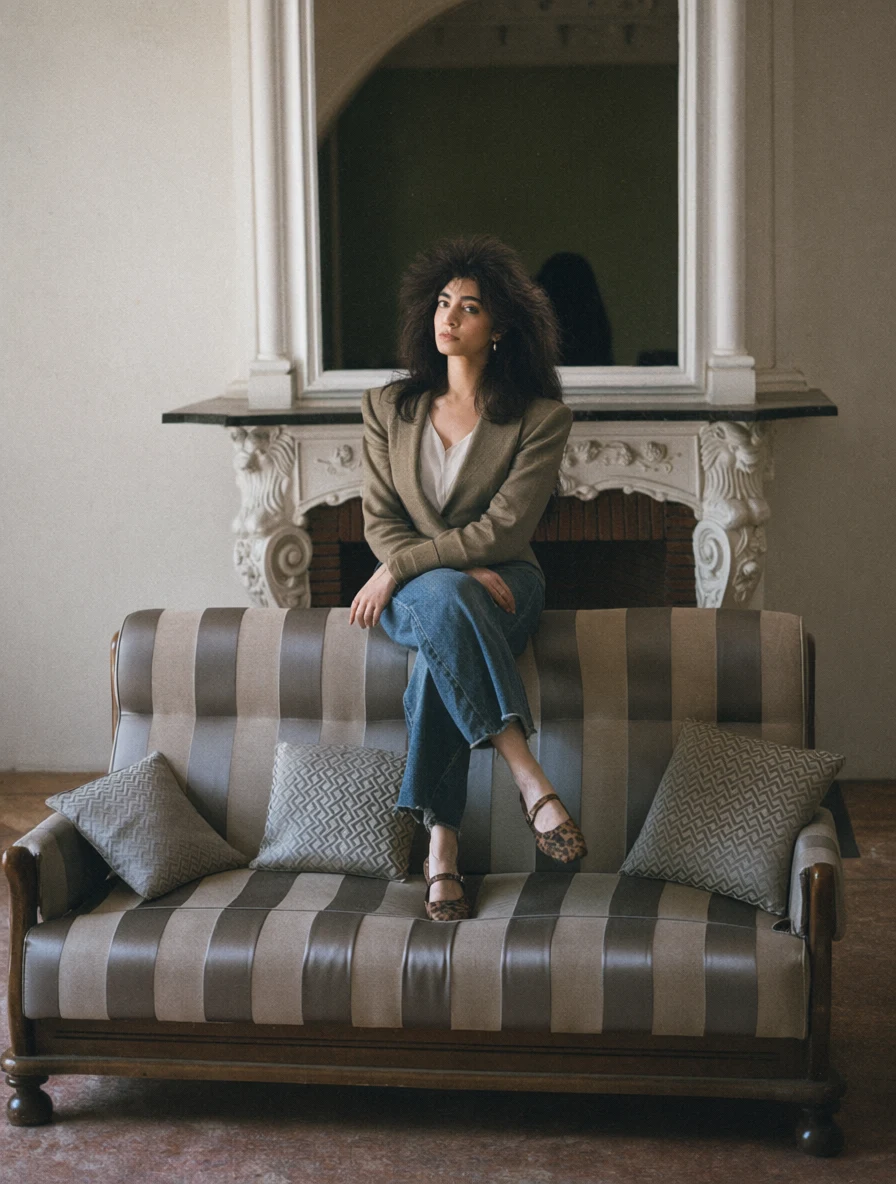
1985 Portrait
1K · 3:4
Transform this portrait into an authentic photograph taken in 1985. Preserve the person's identity, facial structure, skin tone, age, and recognizable appearance. Change the hairstyle, clothing, accessories, and environment to period-accurate mid-1980s styling. Use direct flash, subtle analog grain, slightly faded film colors, and natural photographic softness. Remove all modern objects. Give her a voluminous feathered hairstyle and a structured jacket with pronounced shoulder pads. Use a period-accurate 1980s portrait studio setting.
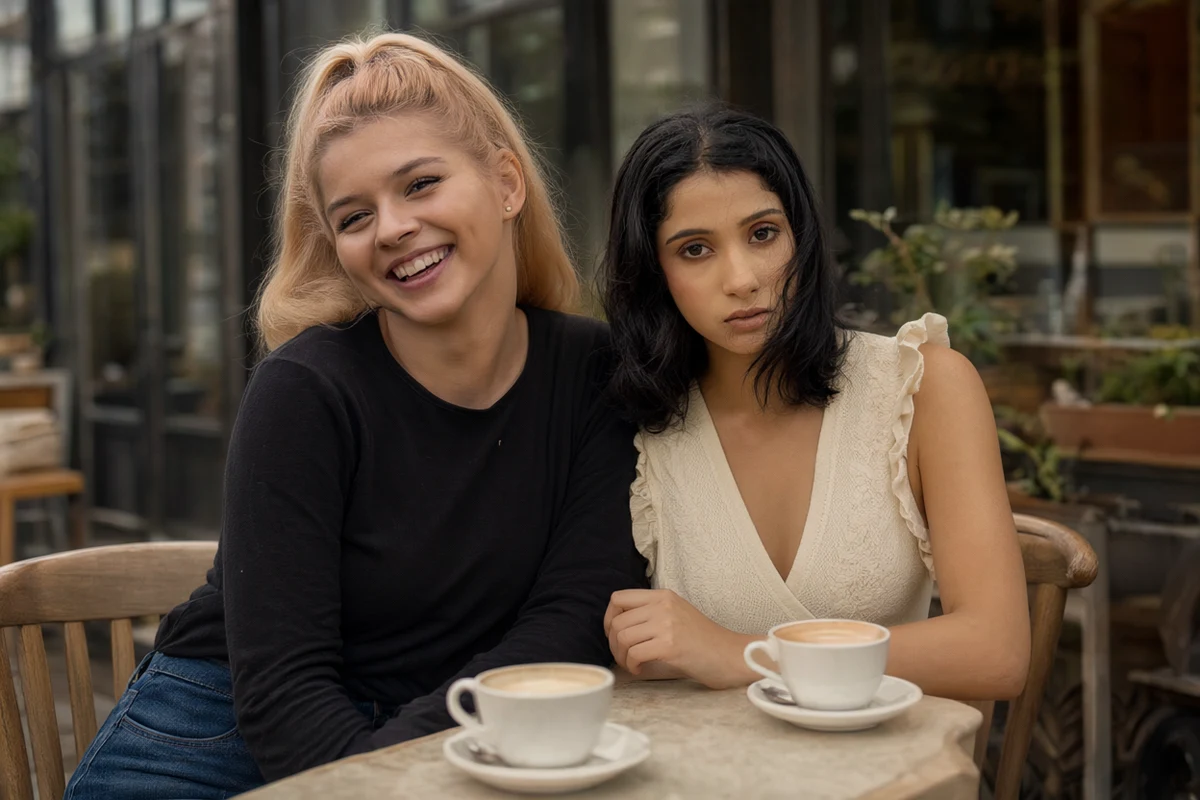 Qwen result
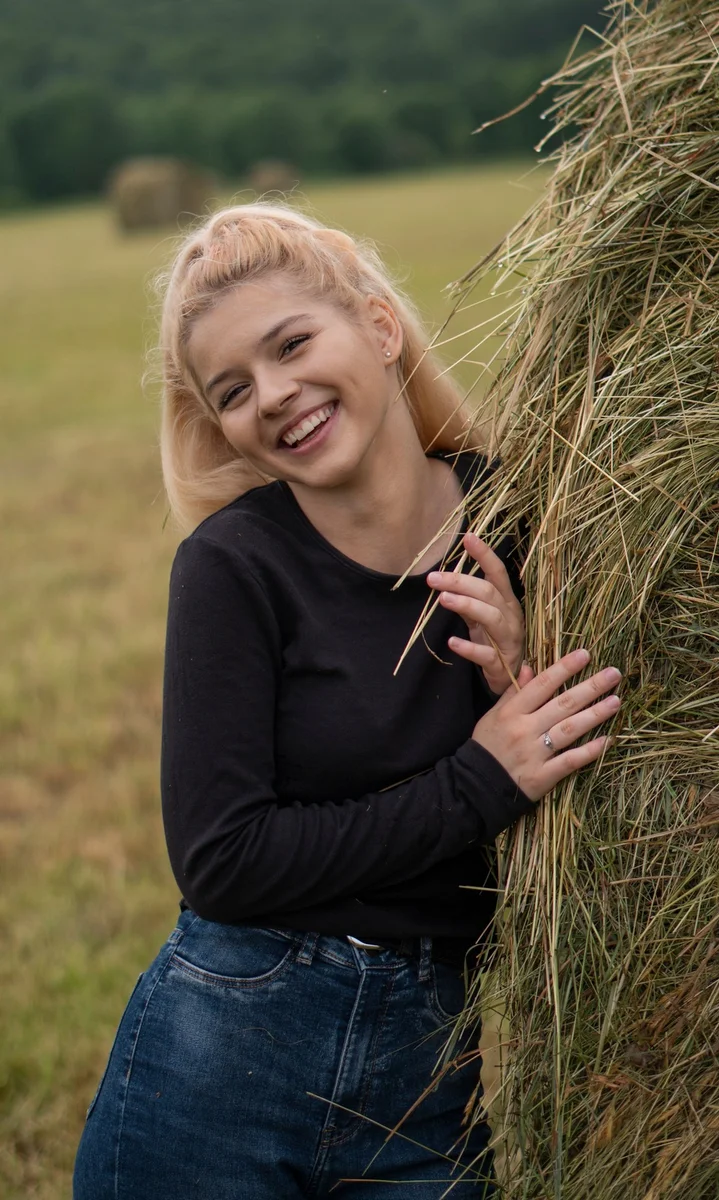
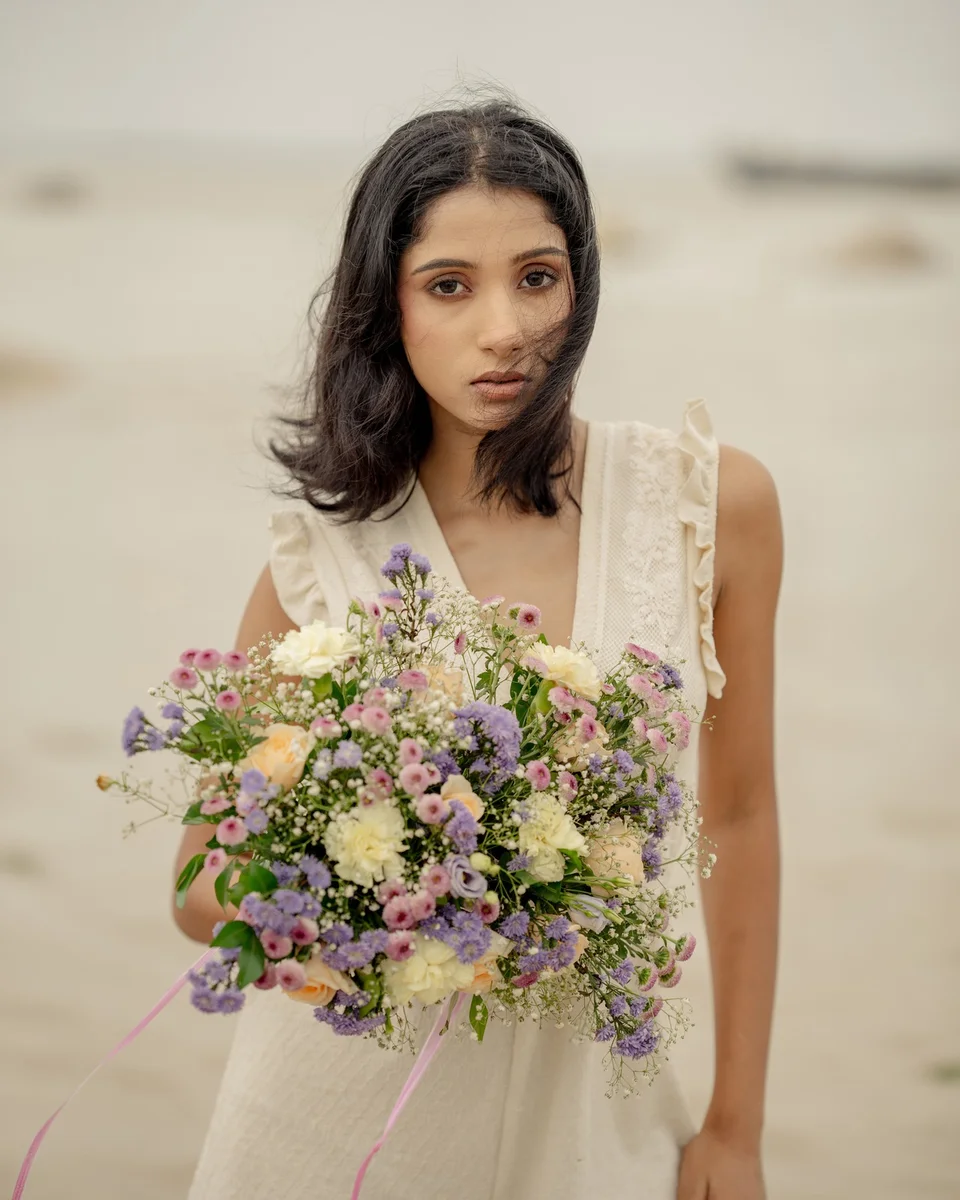
Two-Person Café
1K · 3:2
Create a realistic photograph featuring the people from <Picture 1> and <Picture 2> sitting next to each other at a small café table. Preserve each person's face, identity, hairstyle, body proportions, and clothing. Both subjects should look naturally toward the camera. Match their scale, perspective, shadows, color temperature, and lighting so they appear to have been photographed together.
How to Use the Qwen Image 2.1 Generator
Choose your workflow, describe the result, and download your image.
Choose Edit or Text-to-Image
Use Qwen Image 2.1 edit to transform existing images, or text-to-image to create from a prompt. Select the LoRA model to enable edit LoRA or text-to-image LoRA.
Add your prompt and references
For edits, upload 1–10 references and refer to them as <Picture 1> through <Picture 10>. Add up to 3 compatible LoRAs if needed, then choose aspect ratio, resolution, format, and an optional seed.
Generate and download
Check the credits price before generating. Download the result in PNG, JPG, or WebP as soon as it is ready. Generations are not stored on your account; keep this page open while processing.
Why Use This Qwen Image 2.1 Generator
Four generation workflows in the same browser workspace.
Qwen Image 2.1 Edit
Edit photos and combine up to 10 references with natural-language instructions. Specify which image controls the subject, scene, or composition.
Qwen Image 2.1 Text-to-Image
Create product scenes, posters, illustrations, and campaign concepts from a text prompt. Choose from 15 aspect ratios for your intended layout.
Qwen Image 2.1 Edit LoRA
Combine image references with up to 3 compatible custom LoRAs. Adjust each adapter’s strength to guide character identity, style, or visual concepts.
Qwen Image 2.1 Text-to-Image LoRA
Use custom character and style weights for prompt-based generation. Export at 1K, 1.5K, or 2K in PNG, JPG, or WebP.
What to Create with Qwen Image 2.1
Use text prompts, reference images, and LoRAs for everyday creative work.
Product & e-commerce visuals
Use product references to change backgrounds, lighting, and scenes while specifying the details you want to preserve.
Posters & social content
Describe a campaign layout, headline, and visual style. Choose portrait, square, or landscape aspect ratios for different channels.
Portraits & photo editing
Use reference-guided edits to restyle portraits or change environments. Describe the facial features, pose, and clothing that should remain recognizable.
Custom styles & characters
Use Qwen Image 2.1 edit LoRA or text-to-image LoRA with compatible weights to guide recurring characters, brand aesthetics, and illustrations.
Qwen Image 2.1 Generator FAQ
Answers about Qwen Image 2.1 edit, text-to-image, and LoRA generation.