GPT Image 2.6

GPT Image 2.6 Image Generator

Text to image with GIF and SVG. Image to image. One workspace, two GPT Image 2.6 models.

About this tool

Create images from a prompt—including looping GIF animations and scalable SVG vectors—or edit up to 16 reference images with natural-language instructions. Choose Flare for fast everyday generation or Sunburst for extra fidelity, pick any of 15 aspect ratios, and export up to 4K—no API key, no setup.

0 / 16
3195/4000
Current Credits: 036 credits / image

Examples

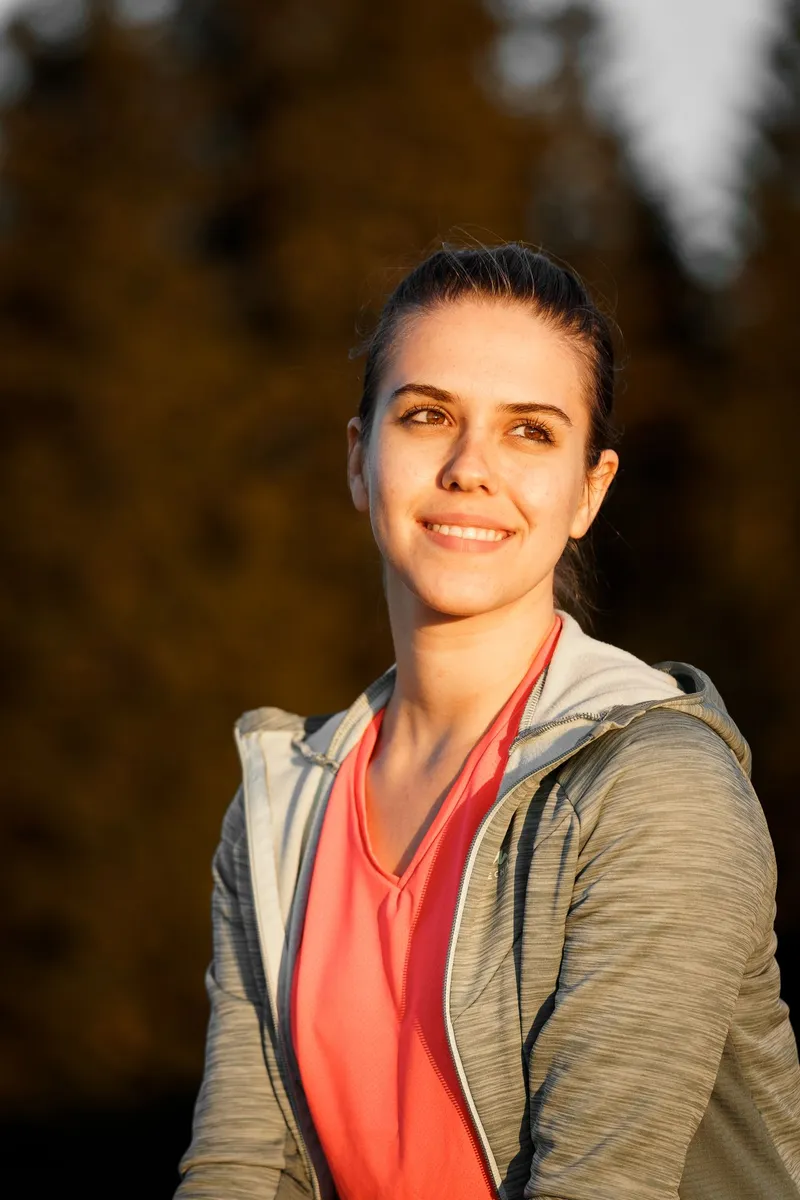
Original photo, example 1
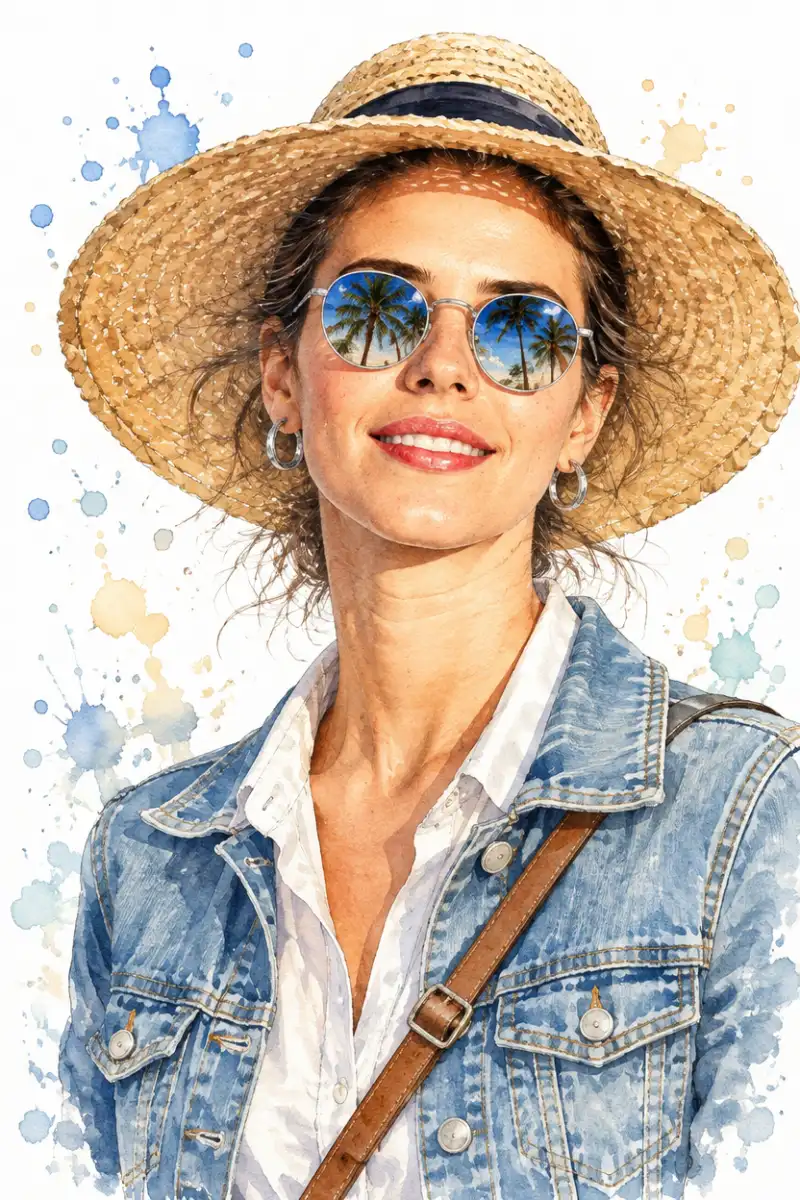
GPT Image 2.6 result, example 1
Face Reference: Use the uploaded face reference image as the primary facial identity reference. Preserve the woman’s recognizable facial structure, proportions, eyes, nose, lips, jawline, cheekbones, and overall likeness. Do not copy the photo’s lighting or photographic texture; reinterpret the same face naturally in a traditional watercolor and pen-and-ink fashion illustration style. Create a stunning 4:5 chest-up fashion portrait of the reference woman, centrally framed. She wears a light blue denim jacket with realistic stitching, flap pockets, and metallic silver buttons over a crisp white button-down shirt. A brown leather crossbody strap runs diagonally across her torso. She wears a wide-brimmed woven straw sun hat, polished silver hoop earrings, and reflective silver-framed round sunglasses. Her head is tilted slightly upward toward her right (viewer’s left), with shoulders subtly angled. Her expression is serene, confident, sophisticated, and effortlessly chic. Her lips are slightly parted with vibrant glossy red lipstick. Her medium-length hair is gathered into a loose, messy low bun, with delicate wispy strands escaping around her face and neck and gently lifted by a soft breeze. Render the skin using transparent watercolor layers, subtle blush tones, delicate ink contours, and soft shadow transitions. Use expressive hand-painted watercolor washes with wet-on-wet blending, pigment blooms, visible brushstrokes, organic edges, and subtle spontaneous paint splatters. Sunglasses Reflection: Make the round lenses highly detailed and reflective, showing tall tropical palm trees silhouetted against a brilliant bright-blue sky. The reflections should look crisp and believable while remaining naturally integrated into the watercolor illustration. Lighting: Bright natural summer sunlight entering from the upper left, creating defined shadows beneath the hat brim and warm, gentle gradients across the forehead, cheeks, neck, jawline, and clothing folds. Fresh, sun-drenched vacation atmosphere. Background: Pure clean white background with delicate scattered watercolor droplets, pigment specks, and loose paint splashes in muted blue, beige, brown, and gray. Keep the background airy and minimalist without distracting from the subject. Art Style: Traditional watercolor illustration, fine pen-and-ink drawing, luxury fashion sketch, editorial magazine artwork, expressive brushwork, loose watercolor washes, hand-painted texture, elegant feminine fashion, tropical travel lifestyle aesthetic, realistic facial likeness, sophisticated composition, high detail, organic watercolor imperfections. Composition: Close-up portrait, eye-level camera perspective with a subtle upward emphasis, chest-up framing, centered subject, elegant proportions, refined editorial fashion illustration. Negative Prompt: distorted face, altered facial identity, different person, excessive makeup, plastic skin, cartoon face, anime style, 3D render, photorealistic photography, blurry sunglasses, distorted reflections, extra fingers, deformed hands, duplicate accessories, messy anatomy, harsh background, oversaturated colors, heavy outlines, artificial digital texture.
18 credits
per image, from
~60s
typical generation
15
aspect ratios
4K
max resolution

GPT Image 2.6 Examples

Switch between Image to Image (before on the left, GPT Image 2.6 edit on the right) and Text to Image (prompt-only animated GIF examples). Click any example to load its prompt into the generator above.

How the GPT Image 2.6 Generator Works

Pick a mode, feed it a prompt or your photos, and download the result.

Step 1

Pick mode and model

Choose Image to Image to edit reference photos, or Text to Image to create from scratch. Flare is fast and balanced; Sunburst takes longer for sharper details and more natural lighting.

Step 2

Add your prompt and images

Describe what you want in plain language, or start from a built-in preset like 80s Photo. For edits, upload up to 16 reference images, then set aspect ratio, quality, format, and resolution.

Step 3

Generate and download

Your image renders in about a minute. Download it as PNG, JPG, WebP, or—an animated GIF or an SVG vector. Results are saved to the Recent generations page for 30 days. Download a local copy before expiry.

Why This GPT Image 2.6 Generator

The full model surface of GPT Image 2.6, wrapped in a workspace you can actually use

GIF and SVG Output

Text-to-image exports looping GIF animations with 2–16 frames you control, or clean SVG vectors that scale to any size—formats 2.5 can't produce.

Up to 16 Reference Images

Image-to-image editing accepts up to 16 references: combine subjects, products, and styles, and steer the edit with natural-language instructions.

15 Aspect Ratios, Up to 4K

From 9:21 story formats to 21:9 banners, in 1K, 2K, or 4K resolution and five quality tiers—pick the exact output you need.

Two Models, One Workspace

Draft fast on Flare, then re-run the settled prompt on Sunburst for extra fidelity on intricate detail—switching costs one click.

What to Use GPT Image 2.6 For

Generation and editing use cases the models handle particularly well.

Animated social creatives

Turn a prompt into a looping GIF—2 to 16 frames with per-frame timing—directly in the generator, no separate animation tool.

Logos, icons & print-ready vectors

SVG output gives you scalable line art and typography you can recolor and resize forever in any vector editor.

Product & e-commerce visuals

Drop in product photos and restyle the scene, background, or lighting with instructions—no reshoots, no Photoshop.

Concept art & moodboards

Explore directions fast on Flare and lock in the keepers on Sunburst at 4K for presentations and print.

GPT Image 2.6 Generator FAQ

Answers about generating and editing images with GPT Image 2.6

GPT Image 2.6 is the newest generation of OpenAI's image model family. It creates images from text prompts and edits reference images from natural-language instructions. On this page it runs in two tiers: Flare, the fast, balanced tier for everyday generation, and Sunburst, the precision tier that spends more time per image for extra fidelity on intricate detail.