Burning Bridges AI Video Generator
Your photo. The party. Your moment.
About this tool
Burning Bridges AI puts your person or character at the center of a golden party scene. Upload one photo, raise the cup, point at the camera and move with the music. Create your Burning Bridges AI video with Wan 3.0.
Create your Burning Bridges AI video
One photo · JPG, PNG or WebP · up to 10 MB.
Your party leadRequired
Choose one clear, front-facing person or character with the face and upper body visible, at least 300 × 300 px. Good lighting and an unobstructed face work best.
Wan 3.0 · portrait 3:4 · original soundtrack
116 credits for this Burning Bridges AI video. Failed or timed-out tasks return the credits charged.
Burning Bridges AI result example
See the party atmosphere, cup-raising moves and close-ups. Play with sound to hear the soundtrack.
- 01Upload one person or character.
- 02Choose the length and resolution; review the credit price.
- 03Play your finished party video and download the MP4.
Burning Bridges AI result examples
Explore the Burning Bridges AI look: golden chandeliers, a lively crowd, raised cups and playful close-ups. Try a portrait or an original character for your own party moment.
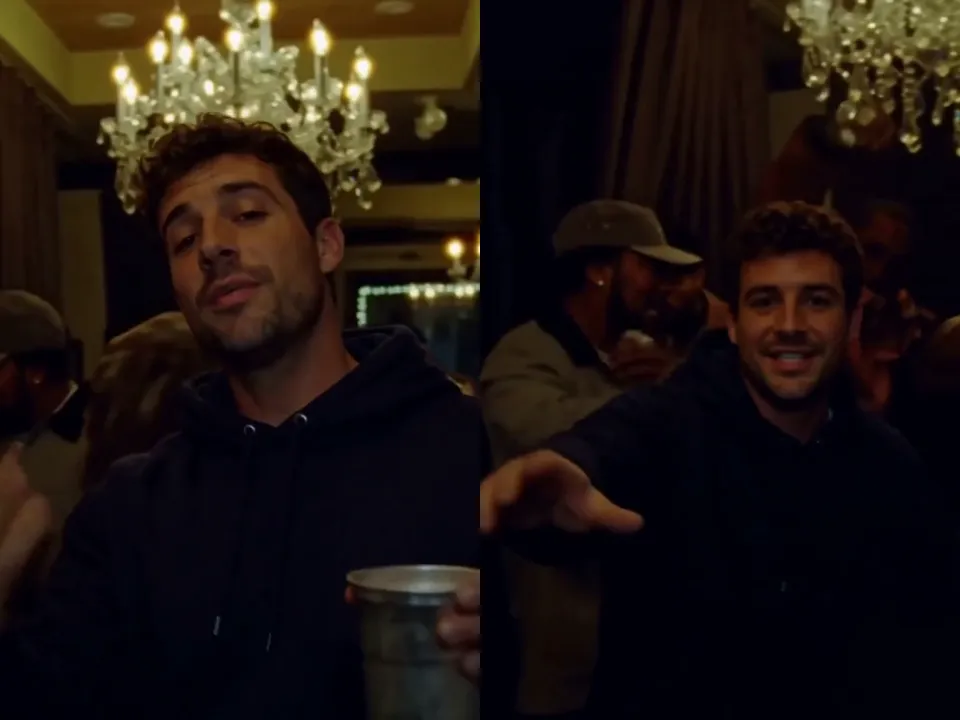
A familiar face at the party
Burning Bridges AI brings a portrait into the warm chandelier scene, with a silver cup and camera-facing gestures.
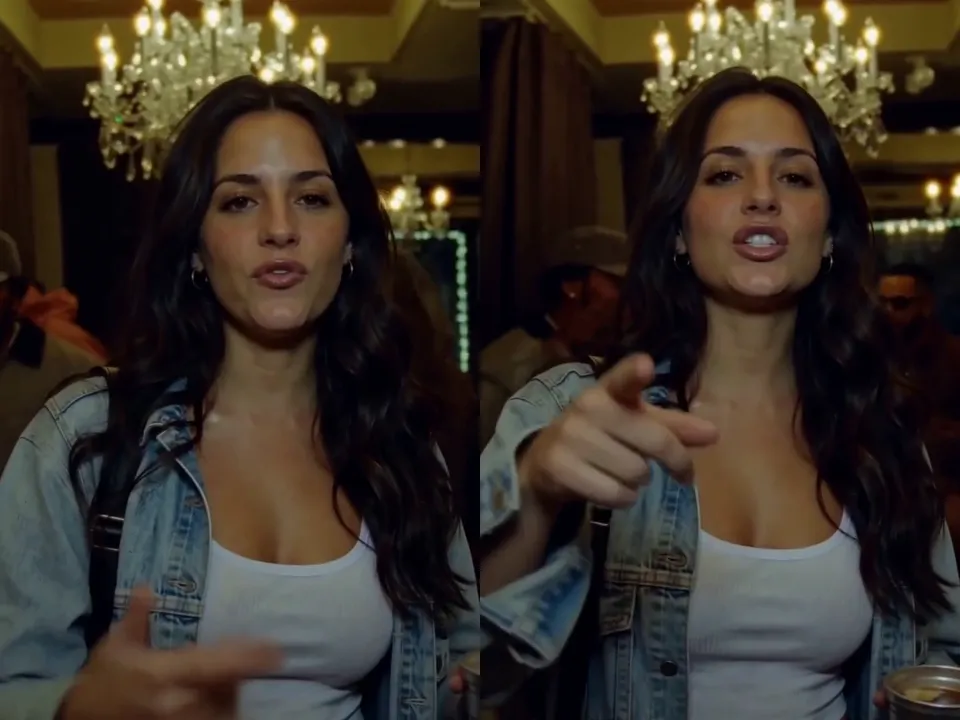
Your outfit, your entrance
A denim jacket and confident point at the lens give this Burning Bridges AI result a personal look.
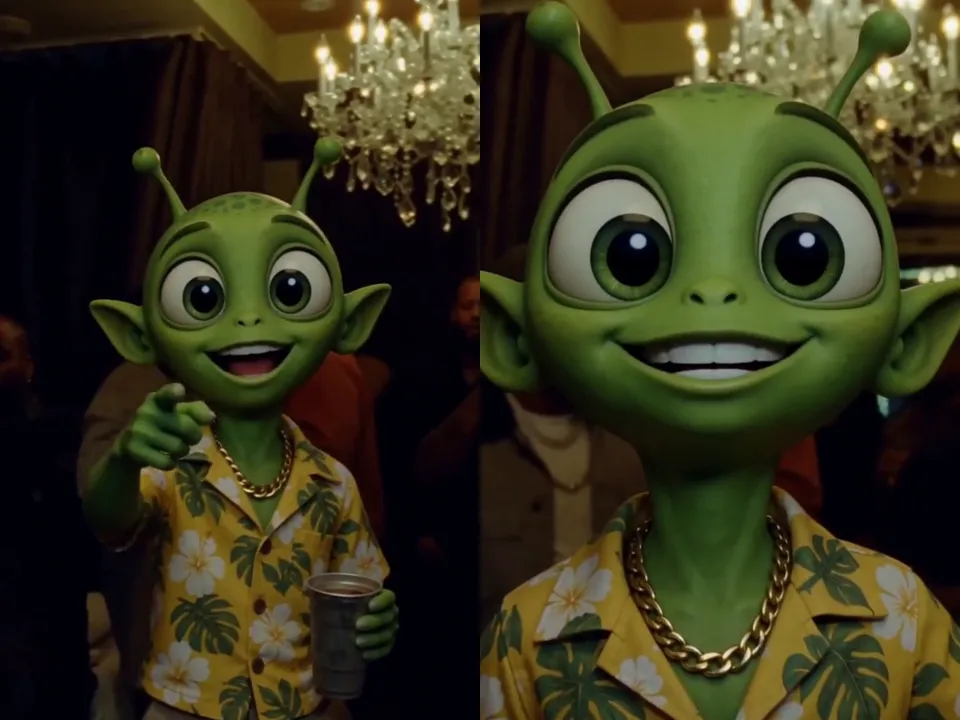
A character joins the crowd
This Burning Bridges AI example puts a green cartoon character in the party, with its colorful shirt and expressive face.
Make the Burning Bridges AI look your own
Your photo defines the lead. Short appearance notes can reinforce the clothing and details you want in your Burning Bridges AI result.
Keep my face, hairstyle, denim jacket and earrings consistent through close-ups and turns. Follow the beat, lift the silver cup and point at the camera. Keep the golden party atmosphere and original soundtrack.
What is Burning Bridges AI?
Burning Bridges AI is a photo-to-party video effect built around the cup-raising, camera-pointing performance. One uploaded image defines the new lead while the room, crowd, choreography and soundtrack carry the scene. Burning Bridges AI works with portraits and clear humanoid characters. Review the finished face, hands and movement before sharing; results vary.
How to make a Burning Bridges AI video
Three steps from your photo to a party clip with sound.
1. Upload your Burning Bridges AI lead
Choose one sharp portrait with the face and upper body visible. Burning Bridges AI uses the photo for identity, hair and outfit.
2. Choose your Burning Bridges AI output
Select 5–15 seconds and 480p, 720p or 1080p. Burning Bridges AI displays the complete credit price before you start.
3. Play your Burning Bridges AI result
Listen to the soundtrack and check the close-ups. Download your Burning Bridges AI MP4 or find it in Recent generations for 30 days.
Inside the Burning Bridges AI effect
A recognizable party performance with room for your own appearance.
One photo, one lead
Burning Bridges AI uses a single photo to guide the central performer. Keep the face clear so the same identity can carry through movement.
Golden chandelier room
Burning Bridges AI keeps the warm lighting, crystal chandeliers and surrounding party crowd as the backdrop to your entrance.
Cup and camera gestures
Burning Bridges AI follows the raised cup, head nods and pointing motion. Check hands and occlusions when reviewing the finished clip.
Original soundtrack
Burning Bridges AI retains the existing soundtrack. Play the result with sound and check that the gestures and mouth movements suit the beat.
Flexible portrait output
Burning Bridges AI offers 5–15 seconds in 3:4 at three resolutions. Choose a short moment or the full 15-second party sequence.
Background generation
Burning Bridges AI continues after submission, even if you leave. Return signed in within 24 hours to recover your latest task.
Choose your Burning Bridges AI party look
A clear face and a distinctive outfit give the lead its personality.
Your everyday portrait
Try Burning Bridges AI with a well-lit selfie or upper-body photo. Let a familiar face carry the party performance.
An original character
Bring a mascot or humanoid cartoon into Burning Bridges AI. A front-facing image with clear proportions helps guide the movement.
A memorable outfit
Use a distinctive jacket, hairstyle or accessories in Burning Bridges AI. Add a short note to reinforce the details throughout the clip.
Burning Bridges AI questions
Photos, output settings, sound and finding your finished video.
What does Burning Bridges AI create?
Burning Bridges AI turns one portrait or character image into a party performance with golden chandeliers, a crowd, raised-cup gestures and a soundtrack. Your image defines the lead's appearance.
How do I use Burning Bridges AI?
Upload one JPG, PNG or WebP, choose the duration and resolution, then review the displayed credit price. Start Burning Bridges AI, wait for the result and download the MP4.
Which photo works best for Burning Bridges AI?
Use one clear, front-facing subject with the face and upper body in frame. Burning Bridges AI accepts images up to 10 MB and at least 300 × 300 px. Avoid sunglasses, heavy filters and group photos.
Can Burning Bridges AI animate a cartoon?
You can upload an original humanoid cartoon or mascot. Burning Bridges AI uses its face, proportions, colors and clothing to guide the lead. Unusual anatomy may make hands and movements less consistent.
Does Burning Bridges AI include sound?
Yes. Burning Bridges AI requests retention of the original soundtrack. Play your result with sound to review the audio and performance together.
What length and resolution does Burning Bridges AI support?
Burning Bridges AI supports 5–15 seconds at 480p, 720p or 1080p in portrait 3:4. The default is 15 seconds at 480p. Higher resolution does not restore detail missing from the underlying footage.
How many credits does Burning Bridges AI cost?
The default Burning Bridges AI video costs 116 credits. Changing resolution or duration updates the displayed price before generation. The full charge covers the complete video edit.
Can I leave while Burning Bridges AI is generating?
Keep the page open for upload and any free queue. After submission, Burning Bridges AI continues in the background. Return signed in within 24 hours to recover the latest task; completed videos stay in Recent generations for 30 days.
What happens if Burning Bridges AI fails?
A failed or timed-out Burning Bridges AI task refunds the original charge automatically. If your connection drops, recover the latest task before starting a new one.
Is Burning Bridges AI an official artist app?
Burning Bridges AI on ImageLayered is an independent creative tool. It is not affiliated with or endorsed by any artist, record label or team.
Step into Burning Bridges AI
Choose your photo and take the lead in a golden party scene. Make your Burning Bridges AI moment with sound.
Create my Burning Bridges AI video