Qwen Image 2.1 图像生成器
文字生成图像,编辑参考图片,用 LoRA 定制风格。
了解这个工具
使用 Qwen Image 2.1 text-to-image 从提示词创建图片,或用 Qwen Image 2.1 edit 编辑最多 10 张参考图。添加自定义 LoRA 来控制风格与角色,选择 1K、1.5K 或 2K,并下载 PNG、JPG 或 WebP。
积分随分辨率、参考图数量和所选模型变化;增加参考图可能提高价格。
Qwen Image 2.1 工作台
让参考图片呈现新的创意
上传最多 10 张图片,描述要修改和保留的内容,再开始生成。在提示词中用 <Picture 1>、<Picture 2> 等明确引用每张图片。
Qwen Image 2.1 生成示例
四个模型各展示六个真实生成案例:图像编辑、文生图、编辑 LoRA 和文生图 LoRA。对比编辑前后的效果,并将提示词与生成参数回填到工作台。
6 个真实生成示例
 Qwen 生成结果
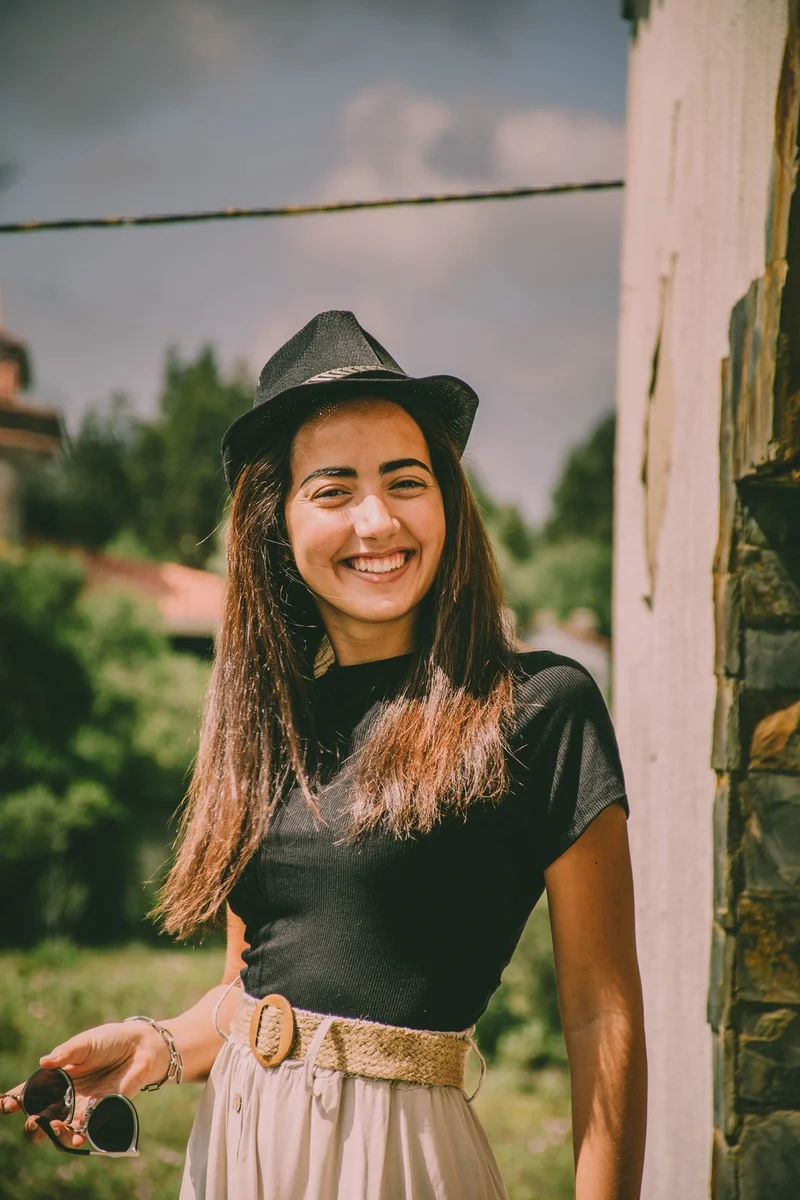
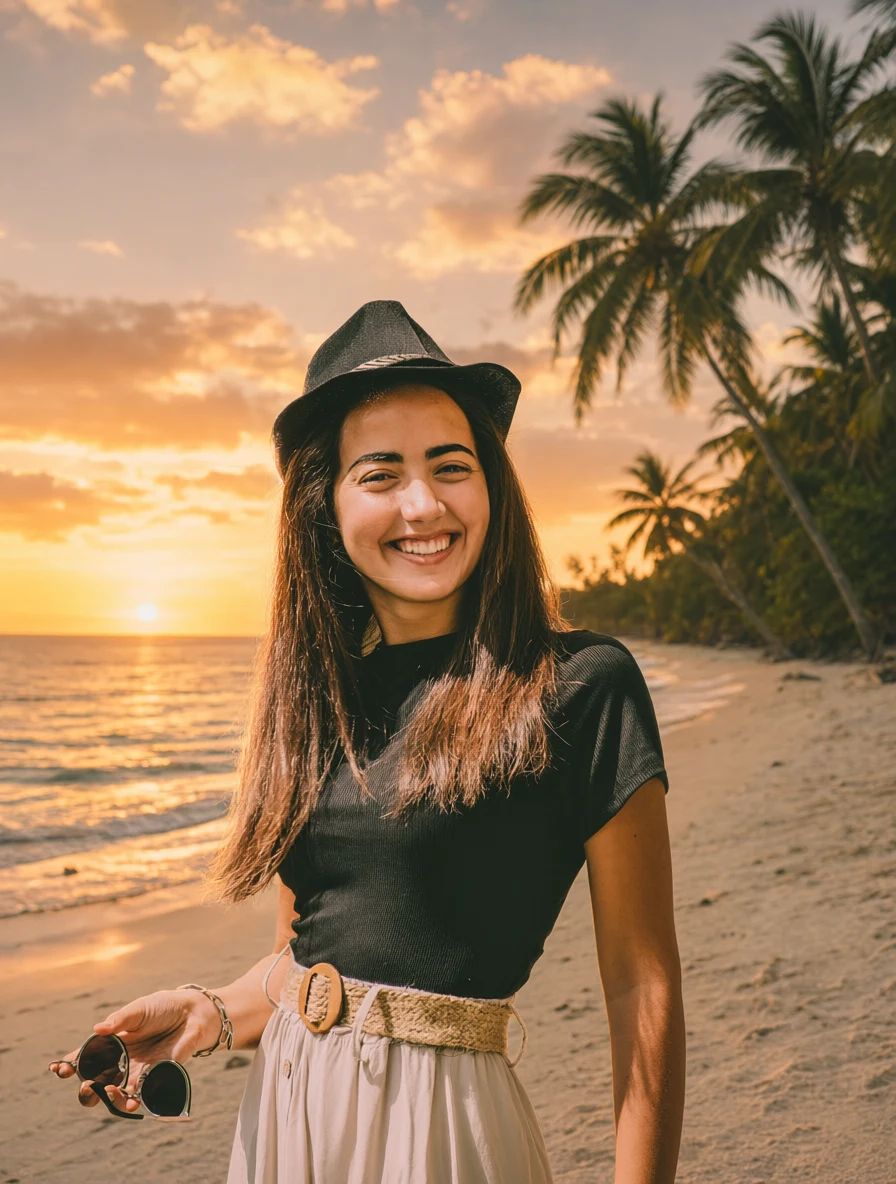
日落海滩背景
1K · 3:4
Replace the background with a tropical beach at sunset. Preserve the person exactly as in the original image, including facial features, hairstyle, body shape, clothing, pose, camera angle, and crop. Match the new background lighting naturally to the subject, with subtle warm rim light and realistic contact shadows.
 Qwen 生成结果
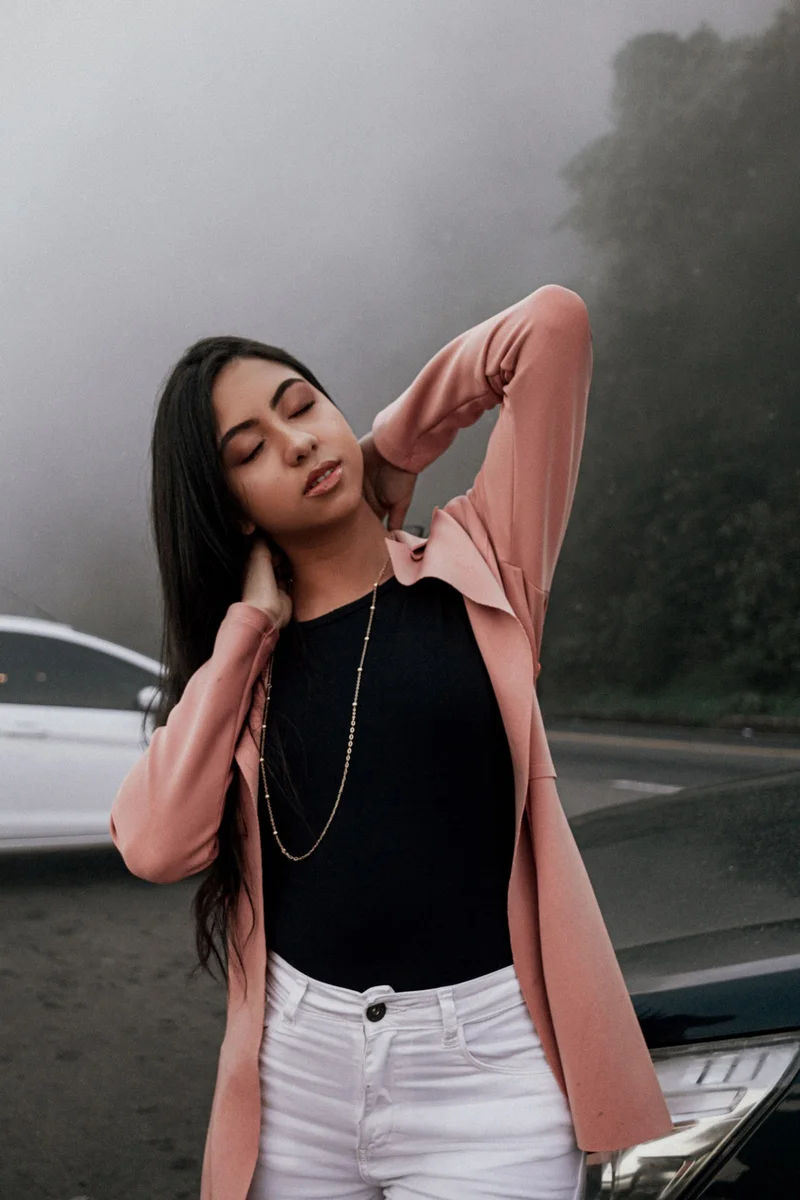
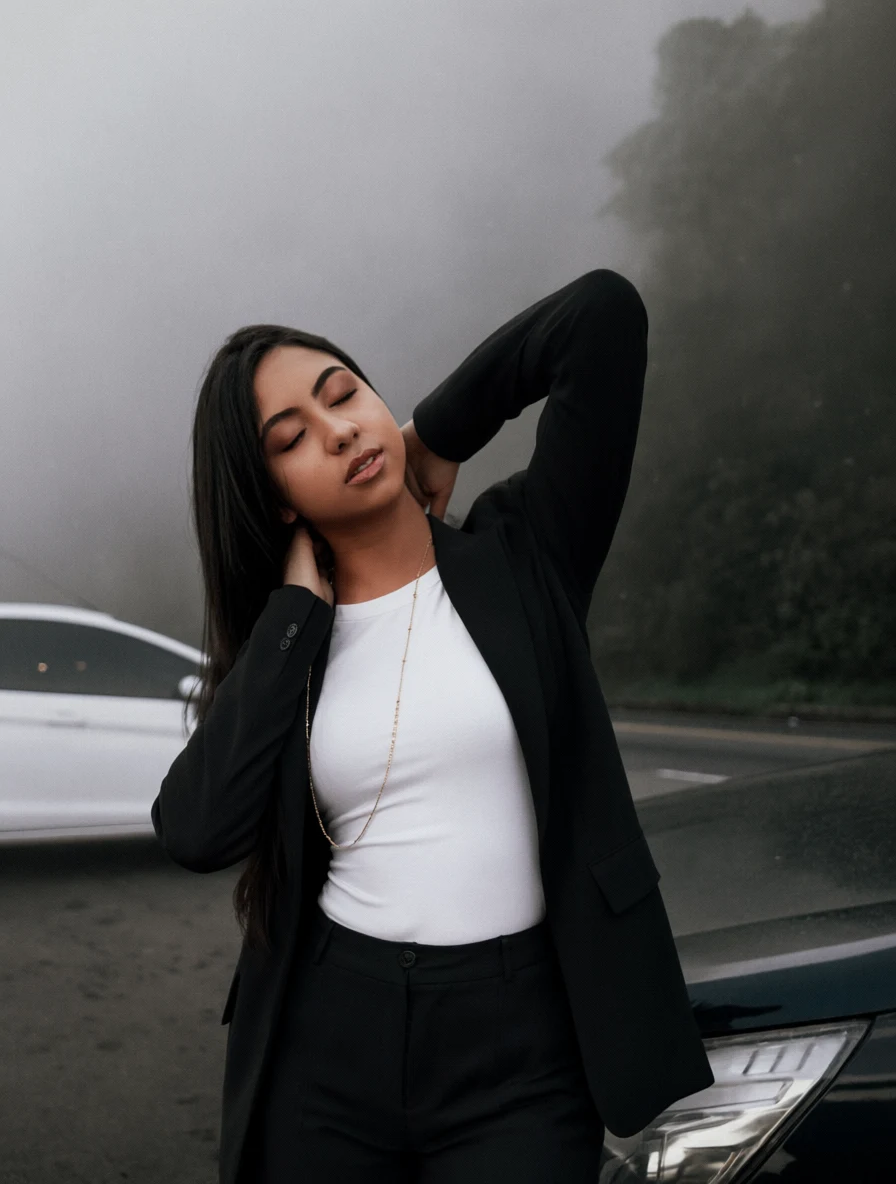
西装穿搭替换
1K · 3:4
Replace the person's current outfit with a tailored black oversized blazer, white fitted T-shirt, and dark straight-leg trousers. Preserve the person's identity, face, hairstyle, body shape, pose, hands, expression, background, camera position, and lighting exactly. Make the new clothing fit naturally with realistic fabric folds and shadows.
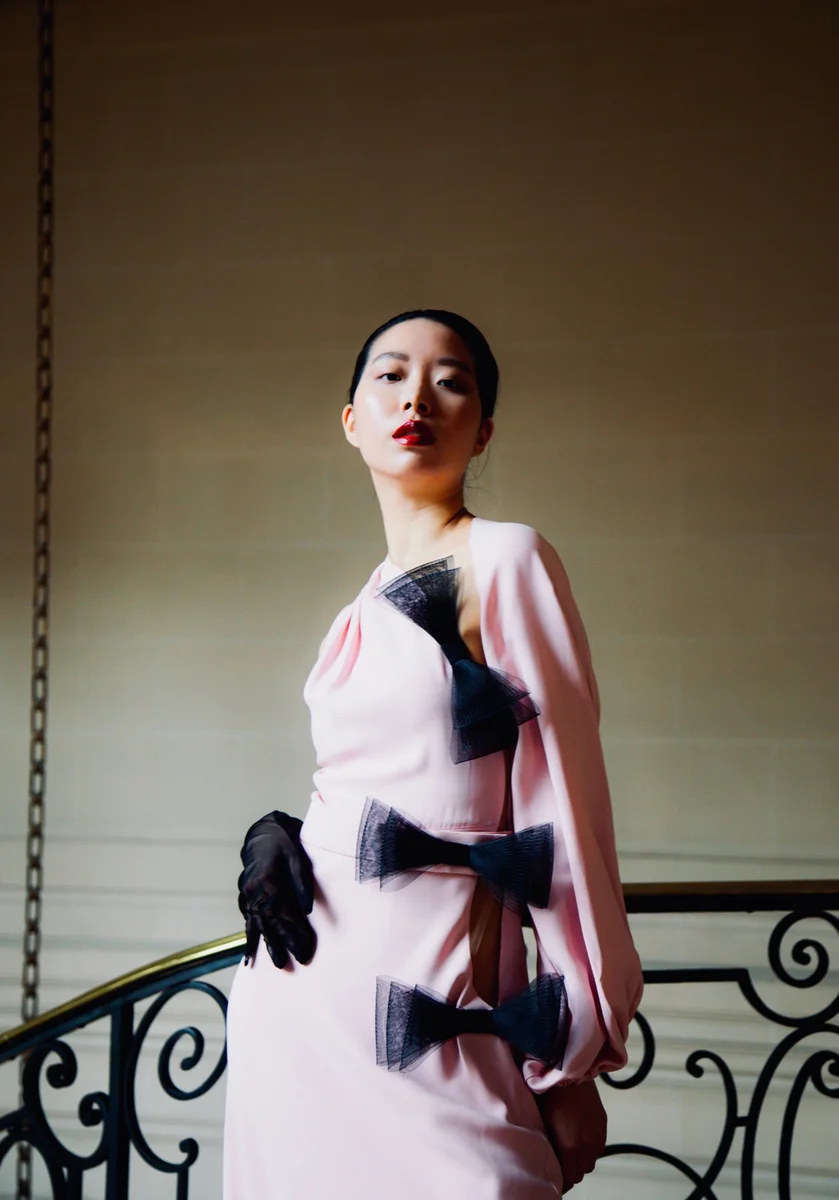
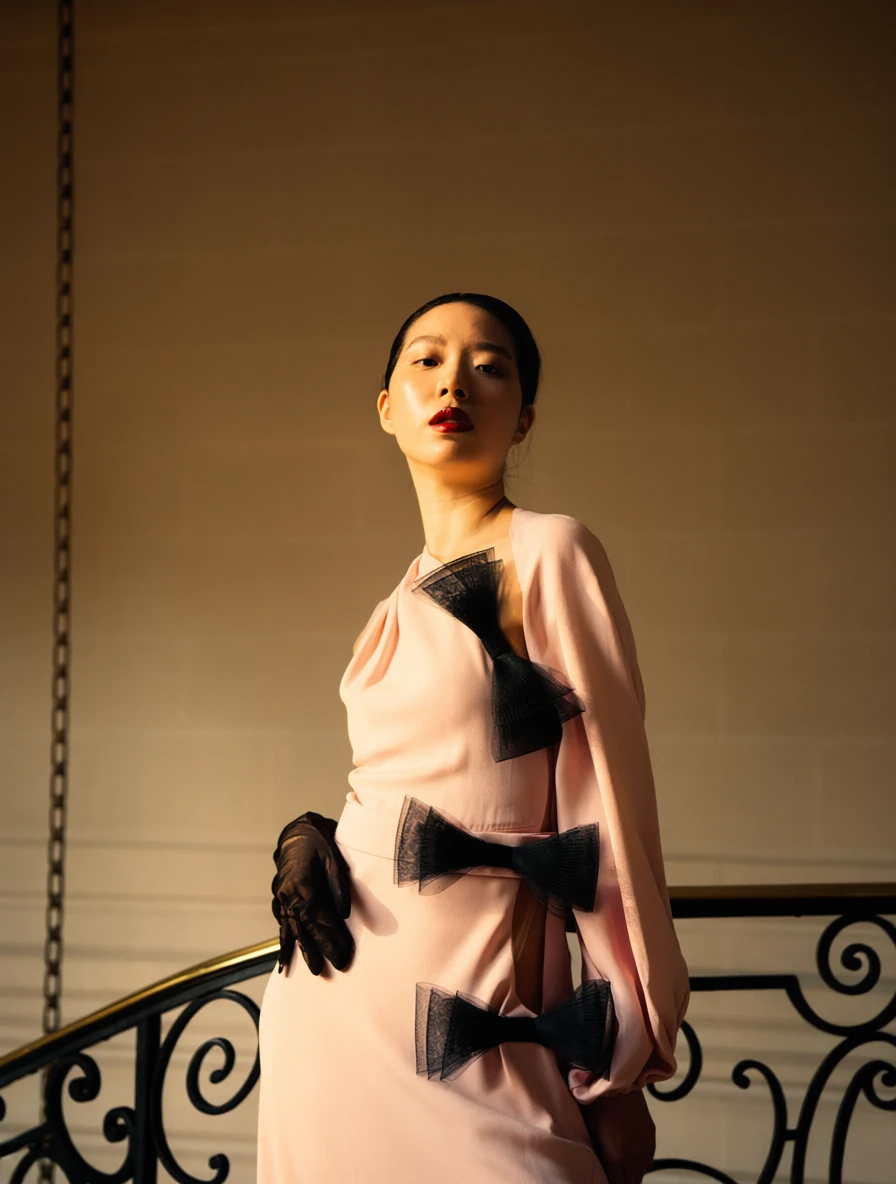 Qwen 生成结果
金色时刻重打光
1K · 3:4
Change the lighting to cinematic golden-hour sunlight coming from the left side of the frame. Add warm directional highlights and soft realistic shadows while preserving the subject, facial features, pose, clothing, background, composition, colors, and camera perspective exactly.
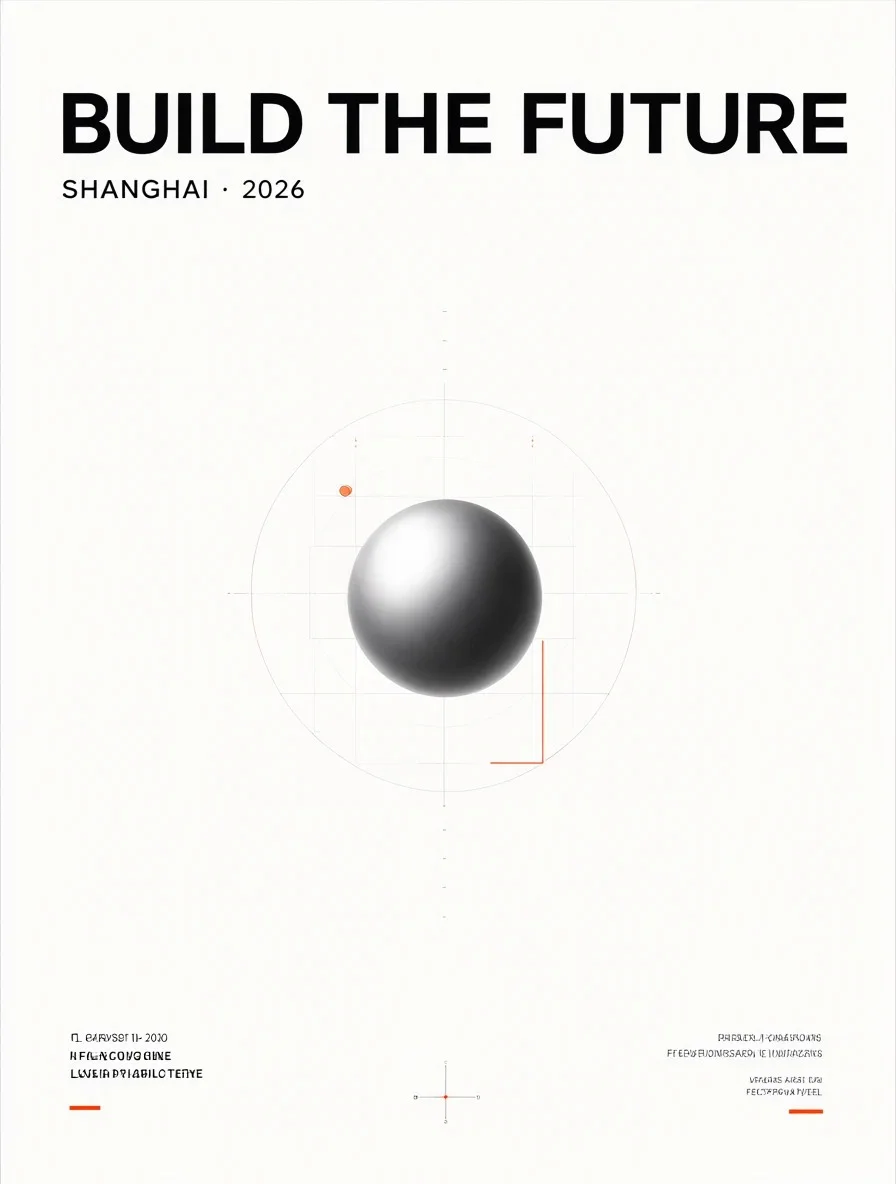
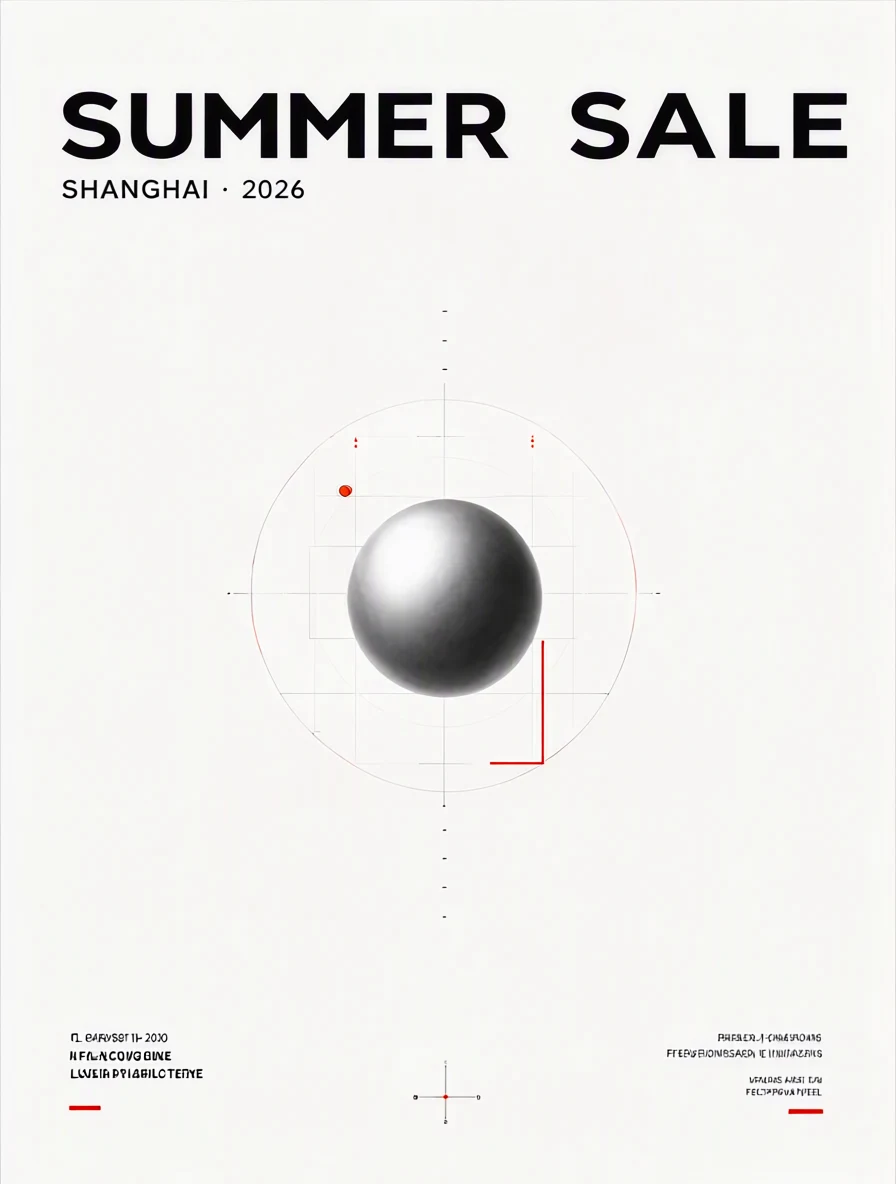 Qwen 生成结果
海报标题文字替换
1K · 3:4
Replace the headline text with "SUMMER SALE" while preserving the original font style, font weight, text size, alignment, spacing, color, perspective, shadows, and surrounding graphic design. Keep every other visual element exactly unchanged.
 Qwen 生成结果
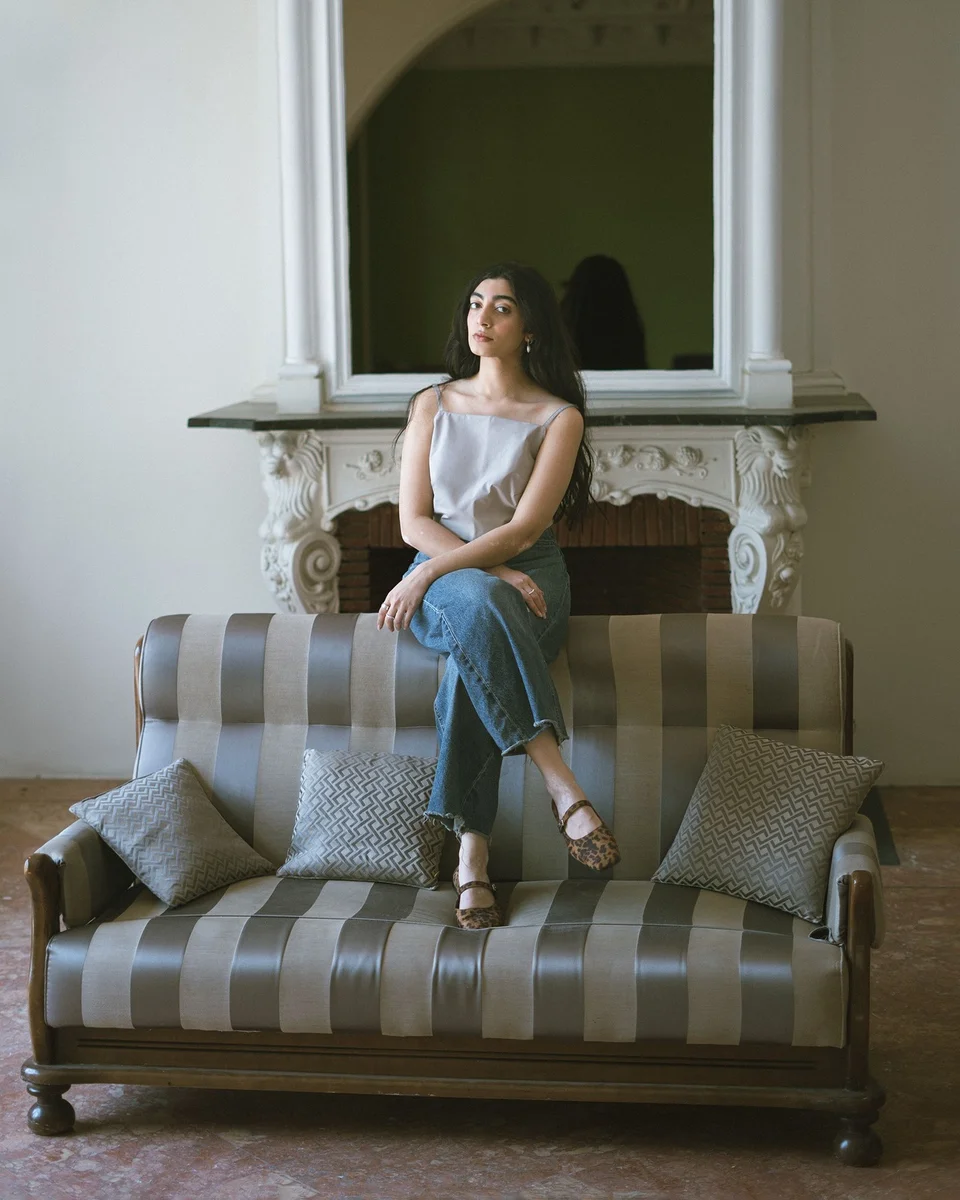
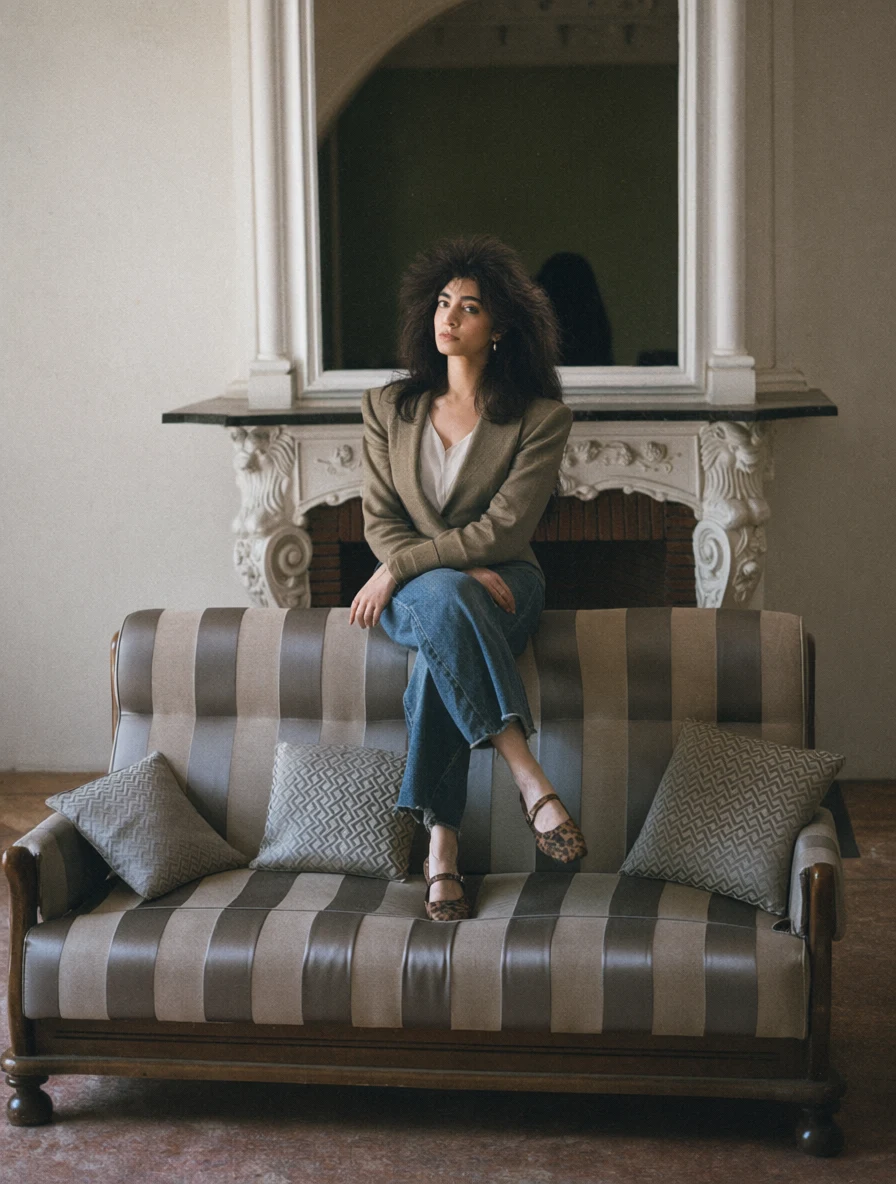
1985 年代肖像
1K · 3:4
Transform this portrait into an authentic photograph taken in 1985. Preserve the person's identity, facial structure, skin tone, age, and recognizable appearance. Change the hairstyle, clothing, accessories, and environment to period-accurate mid-1980s styling. Use direct flash, subtle analog grain, slightly faded film colors, and natural photographic softness. Remove all modern objects. Give her a voluminous feathered hairstyle and a structured jacket with pronounced shoulder pads. Use a period-accurate 1980s portrait studio setting.
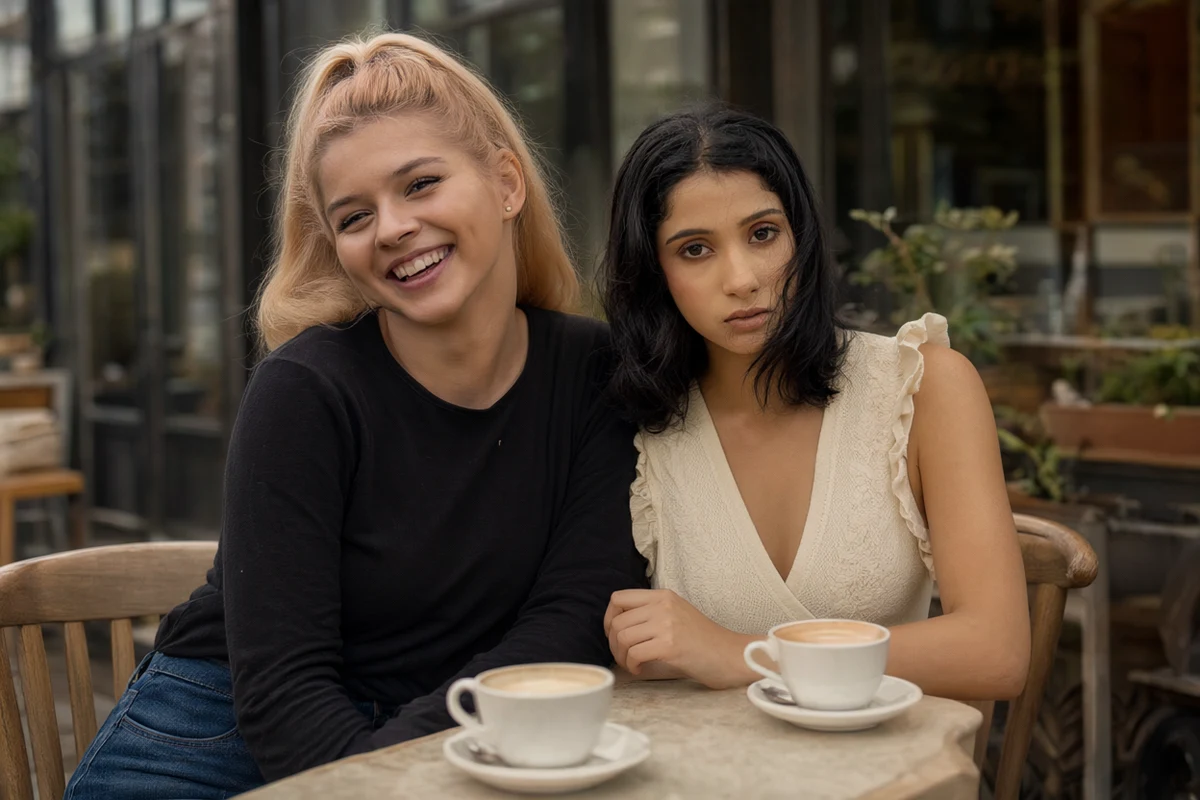 Qwen 生成结果
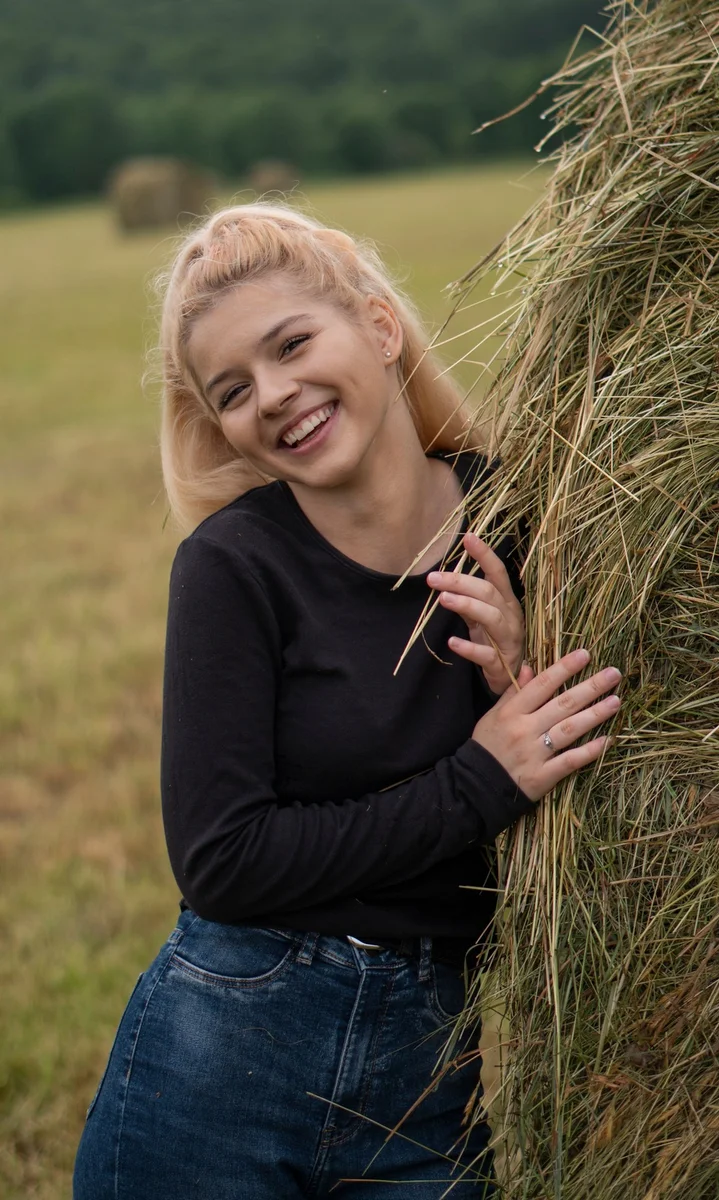
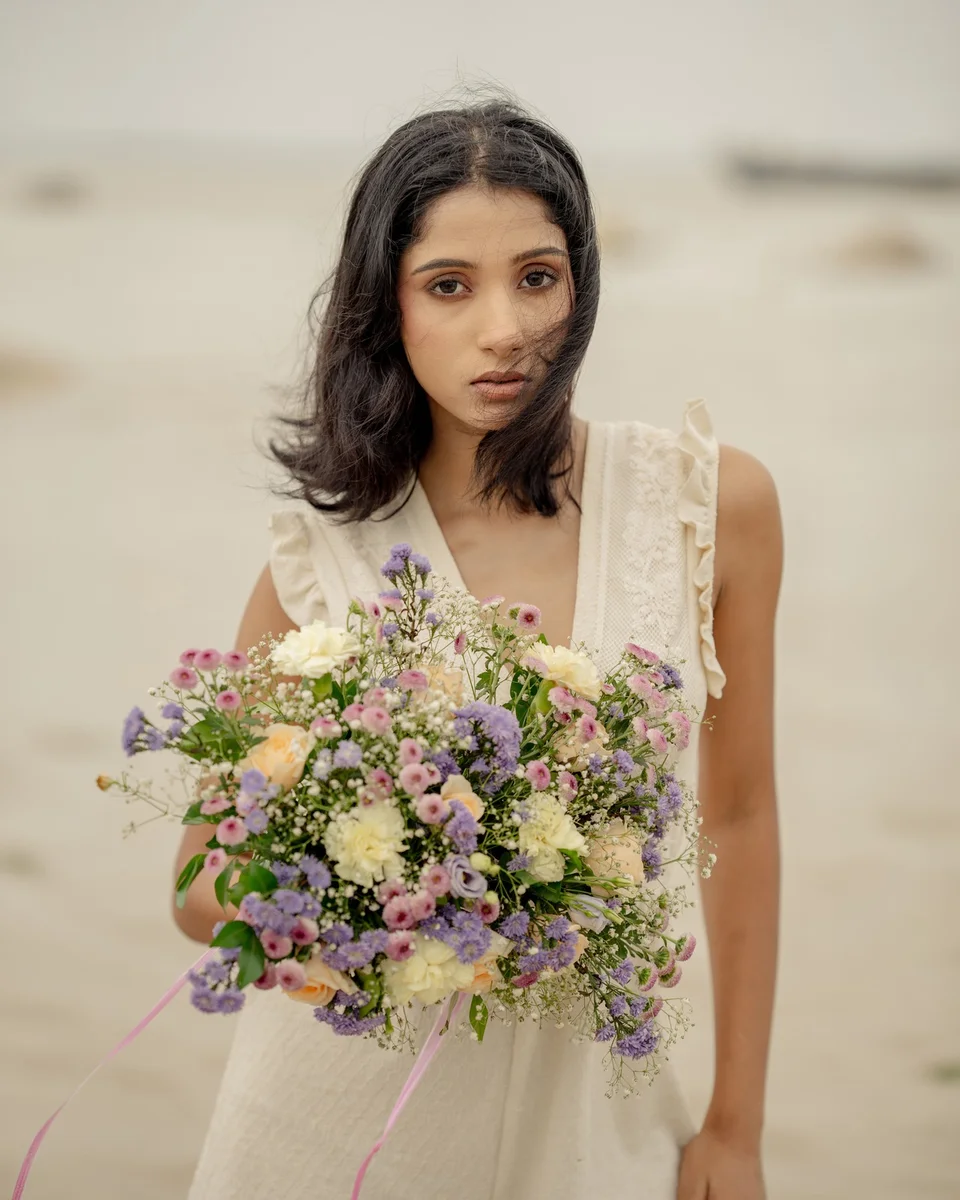
双人咖啡馆合成
1K · 3:2
Create a realistic photograph featuring the people from <Picture 1> and <Picture 2> sitting next to each other at a small café table. Preserve each person's face, identity, hairstyle, body proportions, and clothing. Both subjects should look naturally toward the camera. Match their scale, perspective, shadows, color temperature, and lighting so they appear to have been photographed together.
如何使用 Qwen Image 2.1 图像生成器
选择生成方式,描述画面,生成后下载图片。
选择图像编辑或文生图
Qwen Image 2.1 edit 用于修改现有图片,text-to-image 从提示词创建图片。选择 LoRA 模型即可使用 edit LoRA 或 text-to-image LoRA。
填写提示词与参考图
编辑模式上传 1–10 张参考图,用 <Picture 1> 到 <Picture 10> 指明引用关系。需要时添加最多 3 个兼容 LoRA,再选择比例、分辨率、格式和可选 Seed。
生成并下载
生成前查看所需积分。完成后立即下载 PNG、JPG 或 WebP。生成记录不会保存在账户中,请在处理期间保持页面打开。
为什么使用这个 Qwen Image 2.1 生成器
在同一个浏览器工作台完成四种图像生成与编辑流程。
Qwen Image 2.1 Edit
用自然语言编辑照片,组合最多 10 张参考图。明确哪张图控制主体、场景或构图。
Qwen Image 2.1 Text-to-Image
从提示词创建产品场景、海报、插画与营销概念。15 种比例适配不同画面布局。
Qwen Image 2.1 Edit LoRA
将参考图与最多 3 个兼容自定义 LoRA 结合,分别调整强度,引导角色身份、风格与视觉概念。
Qwen Image 2.1 Text-to-Image LoRA
用自定义角色和风格权重引导文生图,输出 1K、1.5K 或 2K 的 PNG、JPG 或 WebP。
Qwen Image 2.1 可以创建什么
结合提示词、参考图和 LoRA,完成日常创意工作。
产品与电商图片
通过产品参考图修改背景、光线和场景,并说明希望保留的产品细节。
海报与社交媒体内容
描述营销版式、标题与视觉风格,选择竖版、方形或横版比例适配不同渠道。
人像与照片编辑
通过参考图改变人像风格或环境,明确哪些面部特征、姿势与服装应当保持可辨认。
自定义风格与角色
使用 Qwen Image 2.1 edit LoRA 或 text-to-image LoRA,结合兼容权重引导系列角色、品牌视觉和插画。
Qwen Image 2.1 图像生成器常见问题
关于 Qwen Image 2.1 edit、text-to-image 与 LoRA 的使用说明。