Kling 4.0 · 五种创作方式
Kling4 Video Generator
从想法、照片或视频开始。Kling4 Video Generator 支持文字和图片生成、编辑现有画面,以及从结尾续写新片段。默认选择 Kling 4.0、720p 和 5 秒,可按需要调整。
任务创建时扣除积分。生成失败或超时将自动全额退款。
摄影棚里的严肃小狗
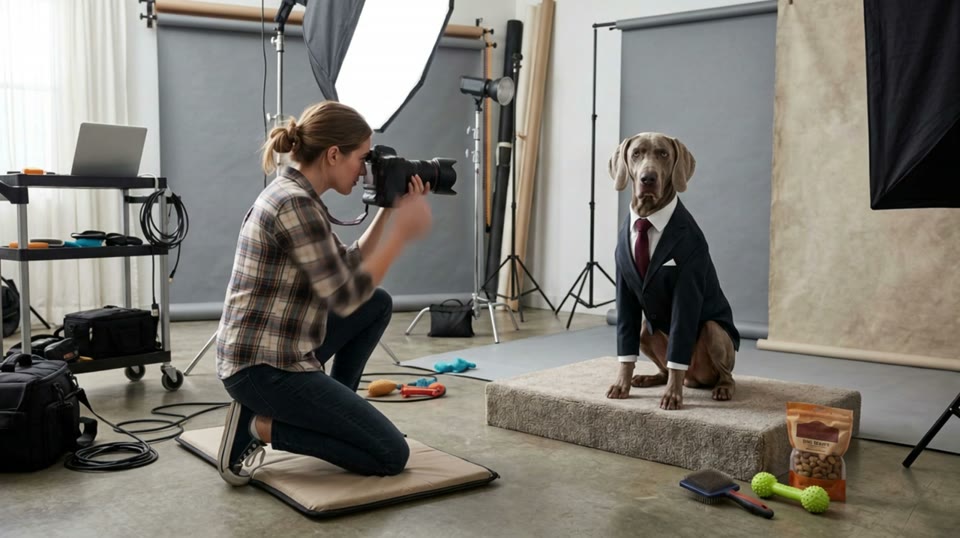
提示词与已知参数
The photographer raises the camera and tries to get the dog to smile by shaking a toy. The dog remains completely serious. She tries a treat. The dog slowly adjusts its tie with one paw and continues staring directly into the camera. She lowers the camera in disbelief. The camera begins from her shooting position, then gently pushes toward the dog’s deadpan expression. Sophisticated visual comedy, realistic animal movement, polished studio lighting.
视频时长(秒): 5 · 清晰度: 720p
播放案例、填入提示词与参数免费;需要图片或原视频时,请自行上传。点击生成后才会创建扣费任务。样片未记录的参数使用模型默认值。
观看 · 探索 · 创作
Kling4 Video Generator 视频案例
了解五种工作流,查看案例记录的提示词并回填支持的参数。生成前请上传你自己的图片或原视频。

Kling 4.0 · 文生视频
城堡厨房的小龙
来源:WaveSpeed提示词与已知参数
A young royal chef stands inside a huge medieval castle kitchen, wearing a cream tunic and dark leather apron while dozens of elaborate dishes cover a long wooden table. A small dragon suddenly pushes its head through an open stone window. Everyone in the kitchen freezes. The chef cautiously offers it a roasted chicken. The dragon ignores it completely. He nervously raises a tiny fruit tart instead. The dragon’s eyes immediately brighten and it gently reaches toward the dessert. The camera begins behind hanging copper pans, tracks toward the chef, then pushes past him toward the dragon outside the window. Playful Western fantasy, detailed medieval kitchen, expressive creature behavior, cinematic comedy, realistic food and firelight.
视频时长(秒): 5 · 清晰度: 720p · 画面比例: 16:9
Kling 4.0 · 图生视频
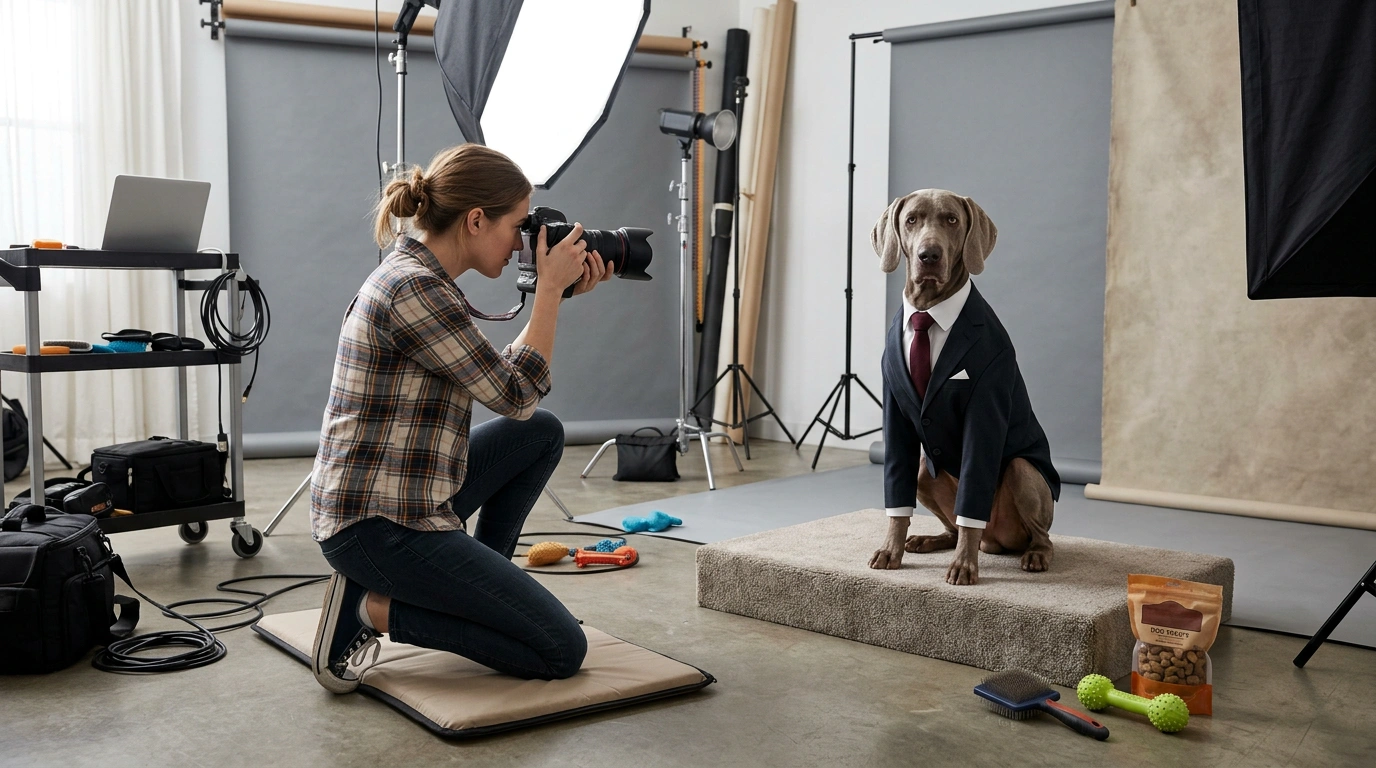
摄影棚里的严肃小狗
来源:WaveSpeed提示词与已知参数
The photographer raises the camera and tries to get the dog to smile by shaking a toy. The dog remains completely serious. She tries a treat. The dog slowly adjusts its tie with one paw and continues staring directly into the camera. She lowers the camera in disbelief. The camera begins from her shooting position, then gently pushes toward the dog’s deadpan expression. Sophisticated visual comedy, realistic animal movement, polished studio lighting.
视频时长(秒): 5 · 清晰度: 720p

Kling 4.0 · 参考图生视频
金色时刻的街头漫步
来源:WaveSpeed提示词与已知参数
The woman from @Image1 walks along a quiet cobblestone street at golden hour, smiling and looking around, cinematic tracking shot, soft footsteps and distant city sounds
视频时长(秒): 5 · 清晰度: 720p · 画面比例: auto
Kling 4.0 · 视频编辑
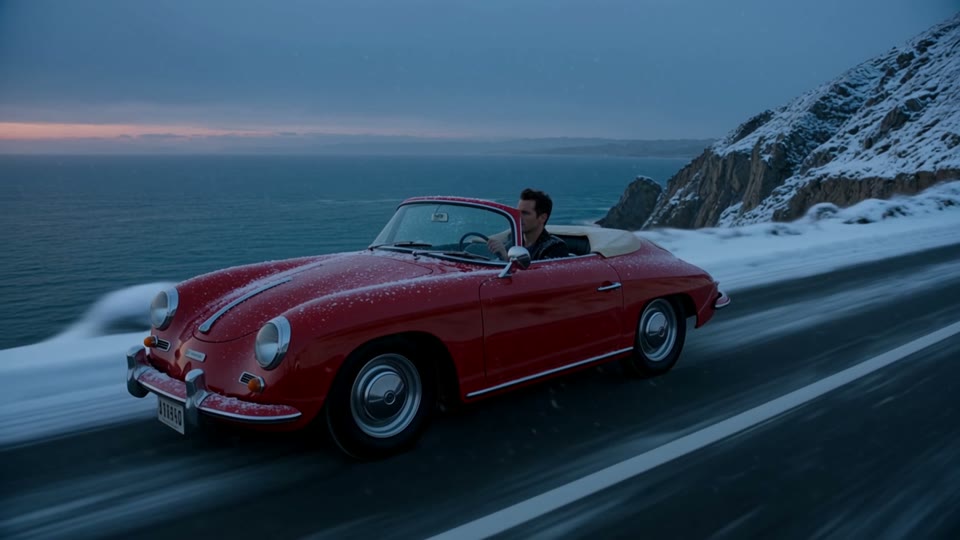
雪夜公路
来源:WaveSpeed提示词与已知参数
Turn it into a snowy winter evening: snow covers the road and the cliffs, snowflakes fall through cold blue light. Keep the car and its motion exactly as they are.
Kling 4.0 · 视频续写
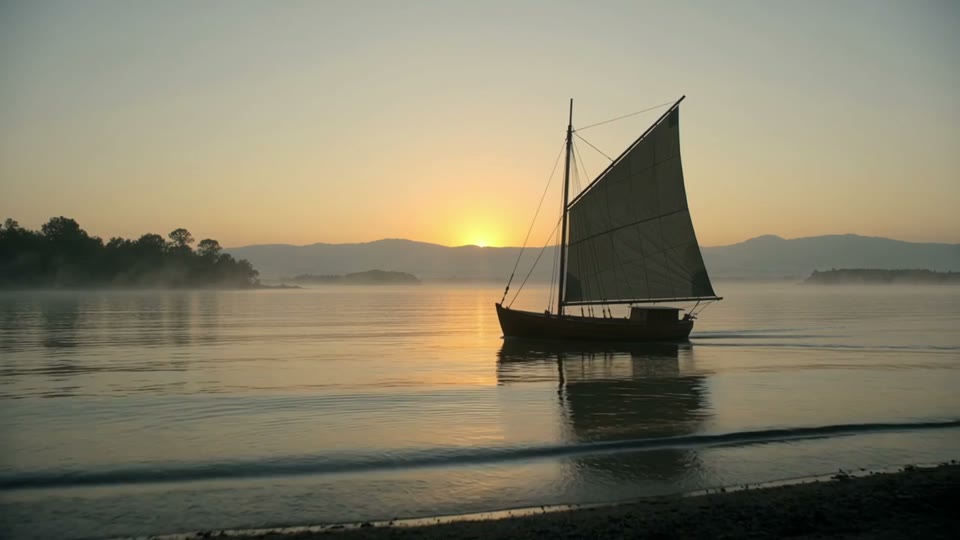
帆船场景续写
来源:WaveSpeed提示词与已知参数
The sailboat keeps gliding forward as the camera slowly rises above the water, revealing a quiet harbor; gulls cross the golden sky, soft wind and gentle waves.
以下是 WaveSpeed 对应 Kling 4.0 端点的演示案例,并非 ImageLayered 实测结果。保留原始来源,回填提示词不会生成视频或扣除积分。
Kling4 Video Generator 的五种工作流
在同一个工作台内切换模式,上传项和控件跟随当前工作流变化。
文字生成视频
描述动作、运镜和声音,选择 3–30 秒、720p 或 1080p,以及 16:9、9:16、1:1 或 21:9 比例。使用 Kling4 Video Generator 将文字创意变为新场景。
图片生成视频
使用 JPG 或 PNG 作为首帧,可添加尾帧引导结尾。输出跟随首帧比例,动作提示词可选。
参考图生成视频
上传 1–10 张图片引导人物、物体与风格,在提示词中使用 @Image 1、@Image 2 等标记。当前 Kling4 Video Generator 支持图片参考,暂未开放视频和音频参考。
视频编辑
上传 3–30 秒 MP4,描述需要改变的内容,可添加最多 10 张参考图。默认保留原声,也可生成新的同步声音;输出比例和时长跟随原视频。
视频续写
从原片最后一帧继续,选择新增 3–30 秒,可上传目标尾帧。Kling4 Video Generator 返回原片与新增片段连接后的完整视频。
如何使用 Kling4 Video Generator
选择创作方式
进入页面默认选择 Kling 4.0。可从图片开始,切换文字或参考图生成,也可上传 MP4 进行编辑和续写。
描述接下来的画面
说明动作、运镜、光线与声音。编辑时明确改变和保留哪些内容,续写时描述最后一帧之后发生的情节。
查看积分并生成
选择分辨率和可用时长,提交前查看准确积分。完成后预览视频并下载 MP4。
Kling4 Video Generator 积分定价
沿用 ImageLayered 现有积分规则,工作台在提交前显示准确报价。下表读取当前已发布模型配置;编辑示例按输入、输出等长计算。
| 时长 | 生成/续写 · 720p | 生成/续写 · 1080p | 编辑 · 720p | 编辑 · 1080p |
|---|---|---|---|---|
| 5s | 61 积分 | 91 积分 | 73 积分 | 109 积分 |
| 10s | 121 积分 | 181 积分 | 145 积分 | 217 积分 |
| 15s | 182 积分 | 272 积分 | 217 积分 | 326 积分 |
| 30s | 363 积分 | 543 积分 | 434 积分 | 651 积分 |
生成价格适用于文字、图片和纯图片参考模式。续写仅按新增片段收费:10 秒原片续写 5 秒,只收新增 5 秒,原片不重复计费。原视频时长由服务端校验。
使用 Kling4 Video Generator 获得更清晰的结果
让动作保持集中
给短片一个明确动作和一段清晰的运镜。根据所选时长安排情节,避免将过长故事压进几秒。
使用清晰的输入素材
选择主体清楚的图片。编辑和续写请上传小于 50 MB 的普通 MP4,本站当前接受 3–30 秒原片。
用尾帧引导结束
图生视频和视频续写可添加目标尾帧,并描述自然过渡到该画面的过程。
Kling4 Video Generator 常见问题
Kling4 Video Generator 可以做什么?
Kling4 Video Generator 提供 Kling 4.0 的文字生成、图片生成、参考图生成、视频编辑和视频续写五种工作流,均使用 ImageLayered 的通用视频工作台。
支持哪些时长和分辨率?
新视频和续写片段支持 3–30 秒整数时长,分辨率为 720p 或 1080p。编辑输出跟随原片时长。编辑和续写当前接受 3–30 秒、小于 50 MB 的 MP4 原片。
Kling4 Video Generator 支持关键帧和音频参考吗?
本版按模式支持首帧、可选尾帧和图片参考,暂未开放中间关键帧、参考视频和参考音频上传。
视频续写如何收费?
Kling4 Video Generator 仅按新增片段的秒数收费,返回的 MP4 包含原片和续写内容。添加可选尾帧不单独加价。
编辑时可以保留原视频声音吗?
可以。视频编辑默认保留原音轨,关闭“保留原视频声音”后生成新的同步声音。续写保留原片音轨,并为新增片段生成声音。
生成期间能离开 Kling4 Video Generator 吗?
任务创建后可以离开,后台会继续处理。同一账号返回时可恢复近 24 小时最新视频任务,完成结果可在“最近生成”中查看和下载,保留 30 天。
生成失败如何处理?
失败或超过 30 分钟期限的任务会自动退还积分。每个账号跨工具同时只能进行一个生成任务;免费用户需排队,付费用户跳过排队。
页面案例是 ImageLayered 实测吗?
不是。案例来自 WaveSpeed 对应 Kling 4.0 模型页并保留来源。预览案例和回填 Kling4 Video Generator 提示词不收费,只有提交生成才会创建扣费任务。
探索其他视频工作流
使用通用视频工作台比较每种模式下可用的模型。